Framework Upgrader
Introduction
The Framework Upgrader helps developers upgrade the code in their current project from an old version (language version, framework version, etc.) to a specified new version, while automatically handling corresponding API changes, syntax updates, dependency upgrades, and other issues—significantly reducing the cost of framework upgrades.
Supported Frameworks and Versions
| Framework | Supported Versions |
|---|---|
| Java | 25, 21, 17, 11, 8, 7 |
| Log4j | 2.x |
| Spring Framework | 7.0, 6.2, 6.1, 6.0, 5.3, 5.2, 5.1, 5.0 |
| Spring Kafka | 3.3, 3.0 |
| Spring Boot | 4.0 (Community Edition), 4.0 (Moderne Edition), 3.5, 3.4 (Community Edition), 3.4 (Moderne Edition), 3.3, 3.2, 3.1, 3.0, 2.7, 2.6, 2.5, 2.4, 2.3, 2.2, 2.1, 2.0 |
| Spring Batch | 7.0, 6.0, 5.0 |
| Spring Data | 3.4, 2.7, 2.5, 2.3 |
| Spring Security | 7.0, 6.5, 6.4, 6.3, 6.2, 6.1, 6.0, 5.8, 5.7 |
| Spring Cloud | 2025, 2024, 2023, 2022, 2021, 2020 |
| Hibernate | 7.0.x, 6.6.x, 6.5.x, 6.4.x, 6.3.x, 6.2.x, 6.1.x, 6.0.x |
| Kafka | 4.1, 4.0, 3.3, 3.2, 3.1, 3.0, 2.8, 2.7, 2.6, 2.5, 2.3 |
| Micronaut | 4.x, 3.x |
| Jackson | 3.x |
| HtmlUnit | 3.x |
| SpringDoc | 2.8, 2.6, 2.5, 2.2, 2.1 |
| JaCoCo | x |
| Elasticsearch | 9 |
| Mockito | 5.x, 4.x, 3.x |
| JavaEE | 8, 7, 6 |
| Jakarta | 11, 10, 9.1, 9 |
| Netty | 4.2.x |
| Quarkus | 3.26, 1.x, 1.11 |
| Struts | 6.0 |
| Jetty | 12 |
| Apache Commons Collections | 4.x |
| Apache Commons Lang | 3.x |
| Apache Commons Math | 3.x |
| ApacheHttpClient | 4.5.x, 5.x |
| Apache POI | 3.17 |
| ECMAScript | 6 |
| RestLet | 2.6.0 |
| Android SDK | 33, 34, 35 |
| Angular | 15, 16, 17, 18, 19 |
| WebLogic | 14.1.1, 14.1.2, 15.1.1 |
| Gradle | 5, 6, 7, 8, 9 |
| Maven | 4 |
Framework Upgrader
- Click the "top-left corner" to switch and select "AI Toolbox".
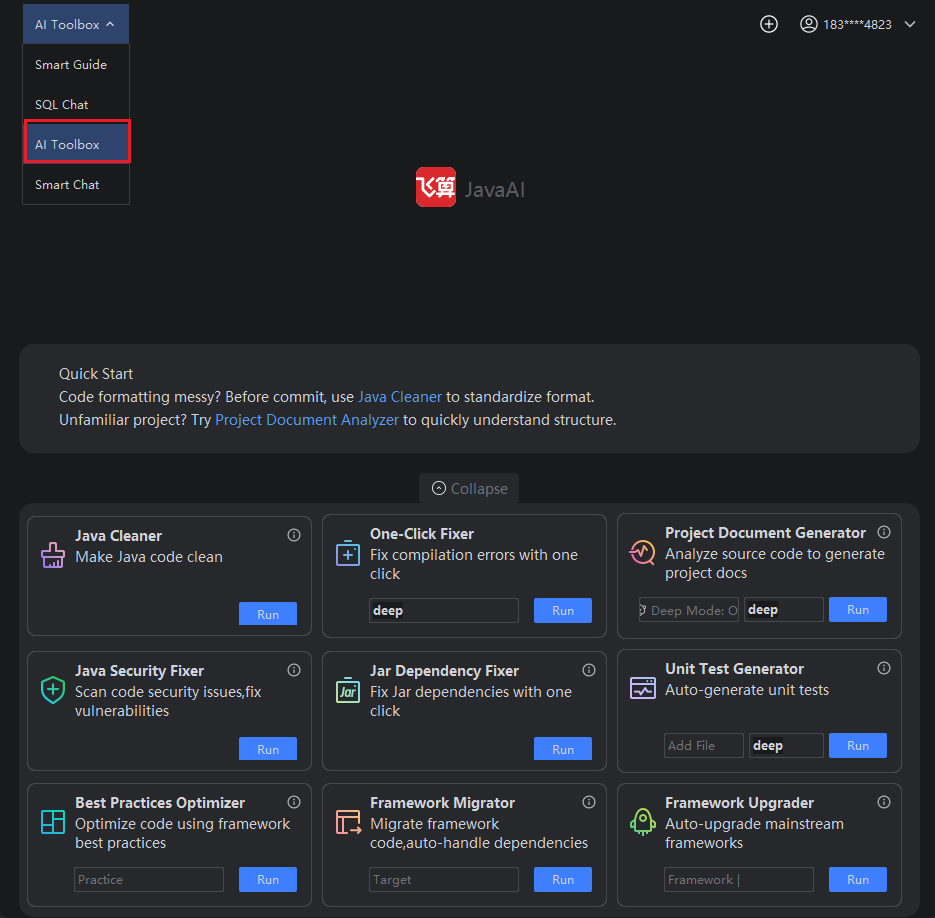
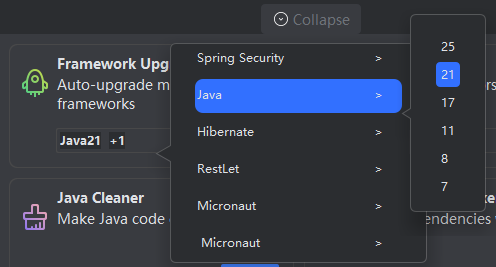
- Select the framework to upgrade, then select the target version of the framework, and click "Run".
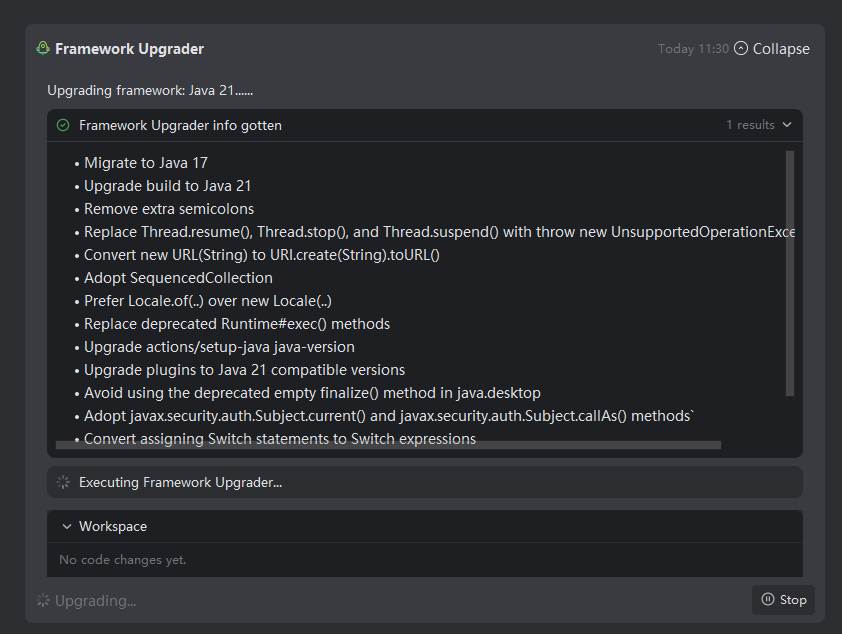
- The system will first retrieve information about the target framework version, then begin the upgrade process.
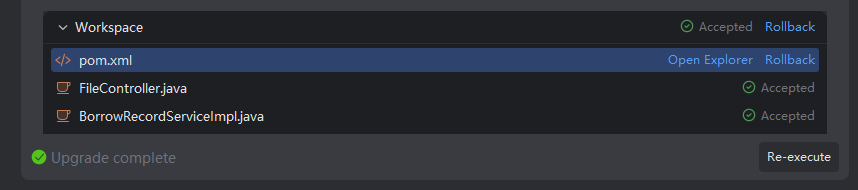
- After the upgrade is complete, all modified files resulting from the upgrade will be displayed in the workspace. Review the changed files and choose whether to accept or reject them based on your needs.
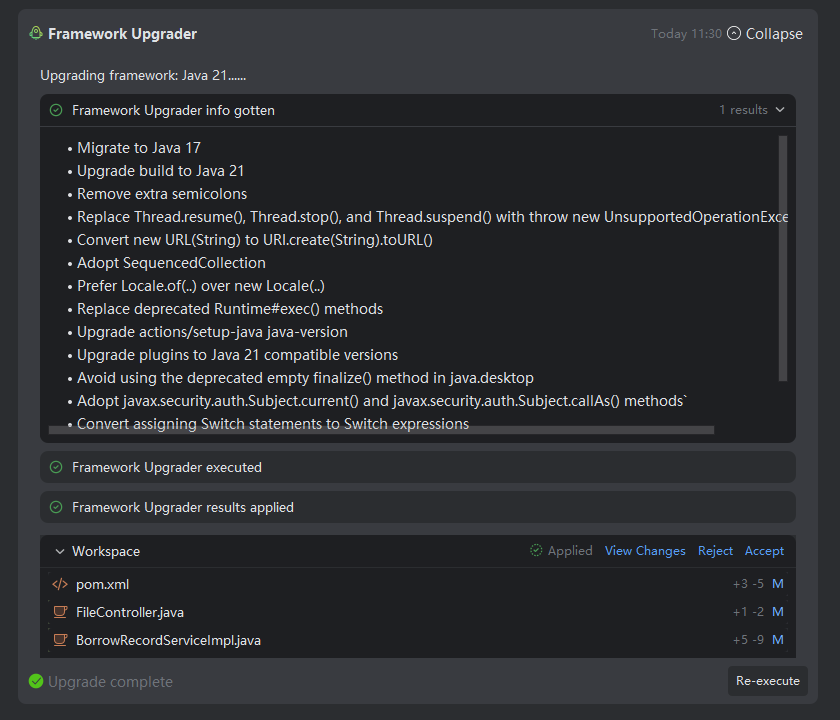
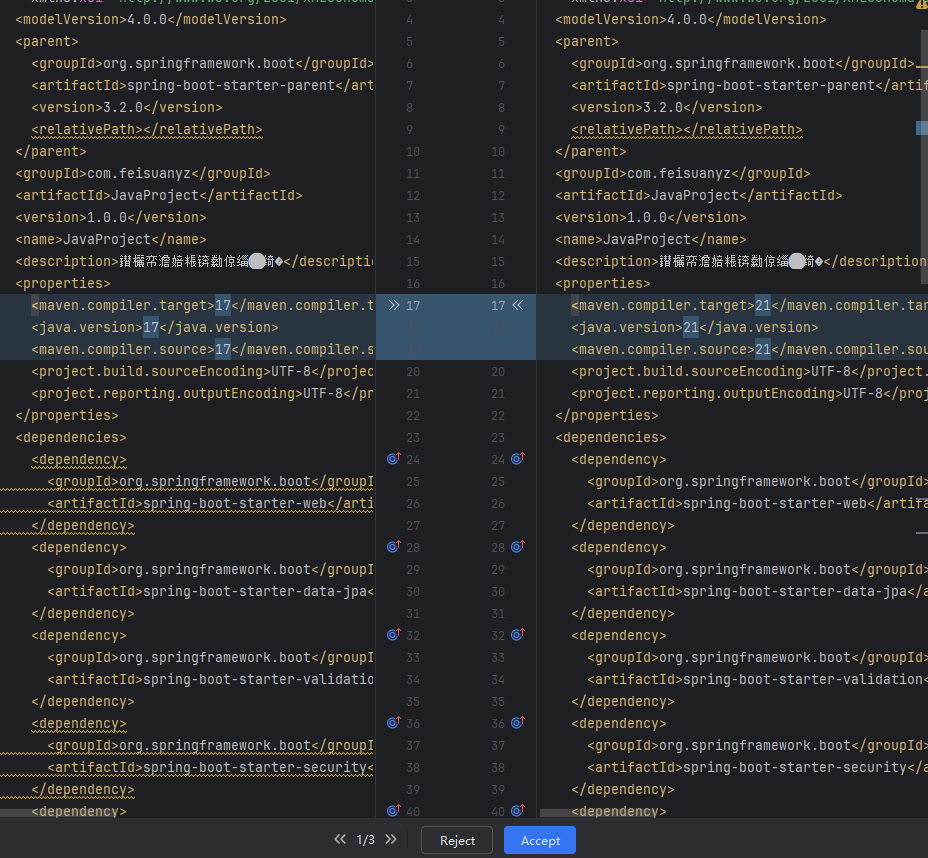
- The Framework Upgrader supports upgrades to the following versions: 7, 8, 11, 17, 21, and 25. Versions other than these are currently not supported.
- The Framework Upgrader requires Maven build version greater than 3.6. Projects using Maven versions below 3.6 cannot use this feature.
- The project must compile successfully, and the Maven
installcommand must be able to fetch all JAR packages without errors. If compilation orinstallfails, the upgrade cannot proceed. - The target framework version must be higher than the current project’s framework version. Upgrades to the same or lower versions are not supported.
- After the upgrade, you can review all changed files in the workspace and choose to accept or reject the suggested modifications. If you later wish to revert to the original framework version after accepting or rejecting, use the "Revert" function to restore the state before the operation—all accepted files will be reverted accordingly.
- If the upgrade fails, check the failure reason, manually adjust as needed, and then re-run the Framework Upgrader.
- After accepting or rejecting, if you need to revert, click the "Revert" button to restore the file status to its state before acceptance or rejection.