View Code Changes
Introduction
When using smart Q&A to get code generation and optimization suggestions, you can quickly understand the specific suggestion content and compare changes with the source code through the view button. This approach allows you to quickly evaluate optimization suggestions and visually see the differences before and after modifications, making it more efficient to decide whether to adopt these suggestions.
View Code Changes
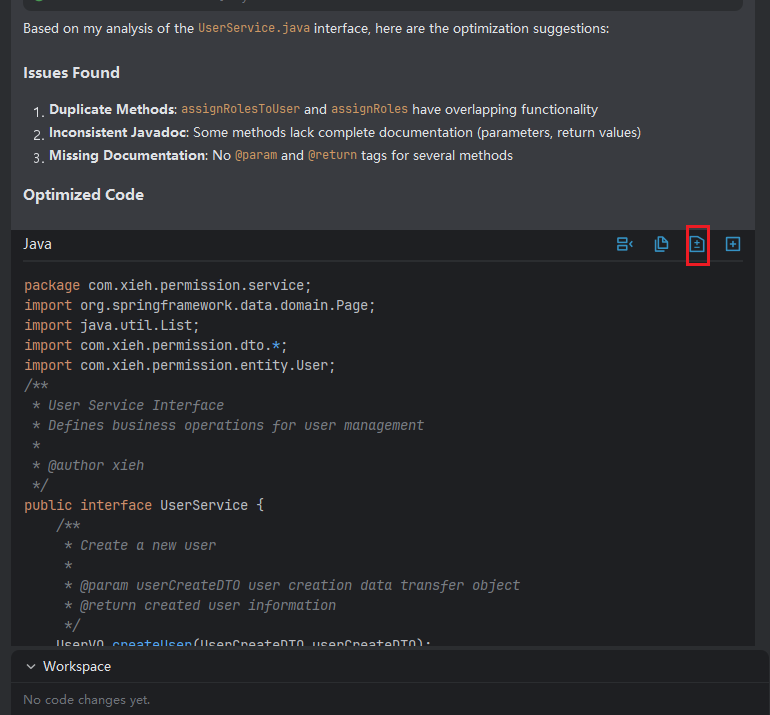
- Use smart Q&A to propose optimization and other suggestion descriptions.

- Click the "Compare" button.
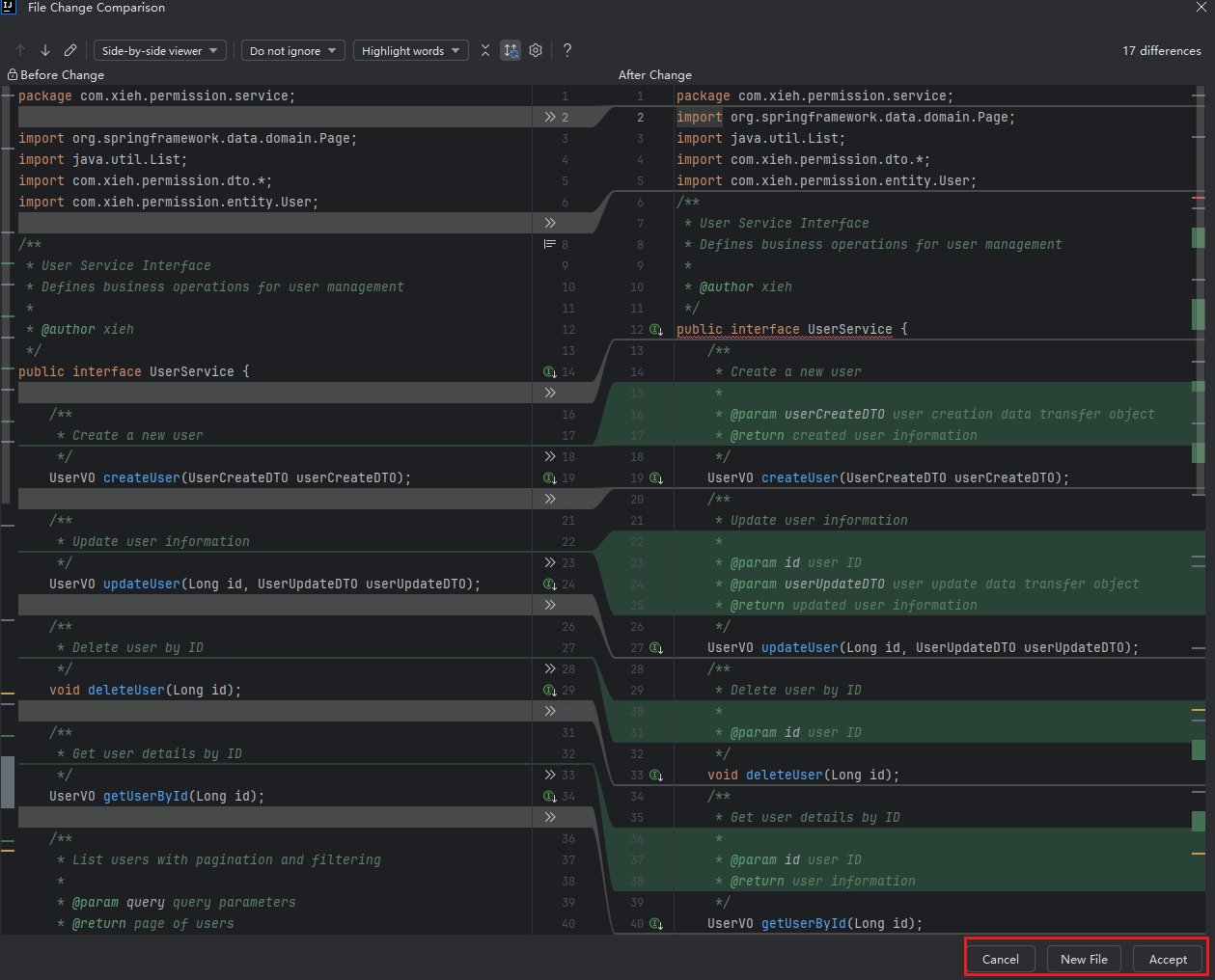
- View the comparison between the code before and after optimization.
- Choose "New File" to save the optimized code as a separate file, or choose "Accept" to overwrite the code before optimization.
Note: If the optimized file is a newly added file, the content before optimization on the left side will be empty, the "Accept" button will be grayed out, and you can only save through creating a new file. If the class name in the optimized code file does not match the context before optimization, the "Accept" button will also be grayed out.