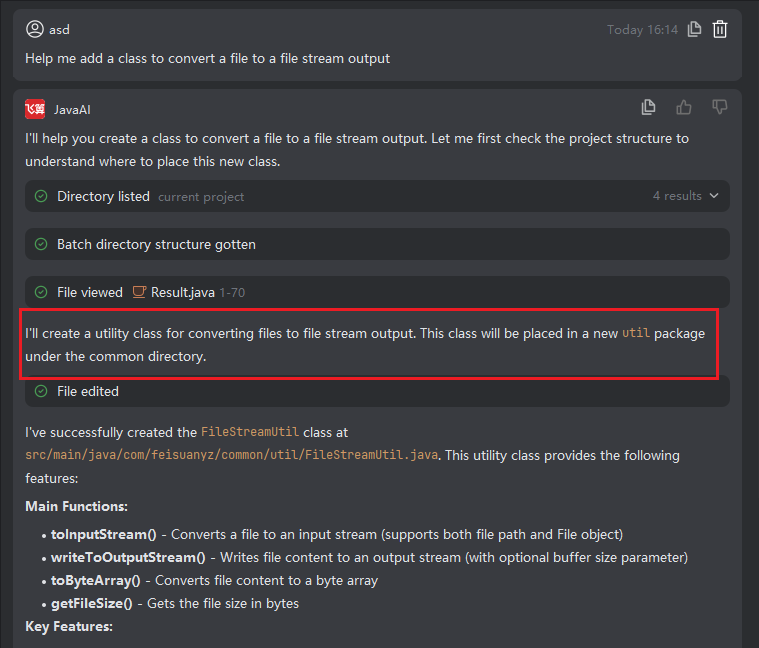
Individual Accept and Reject
Introduction
In the workspace, you can review the specific changes for each file and choose to accept or reject all modifications in that file independently, without affecting other files.
⚠️ Caution: If files in the current workspace are interdependent (e.g., one class references another being modified), accepting only a subset may lead to compilation errors or runtime issues. In such cases, manual adjustments to related files may be necessary to maintain project integrity and consistency.
How to Accept or Reject a Single File
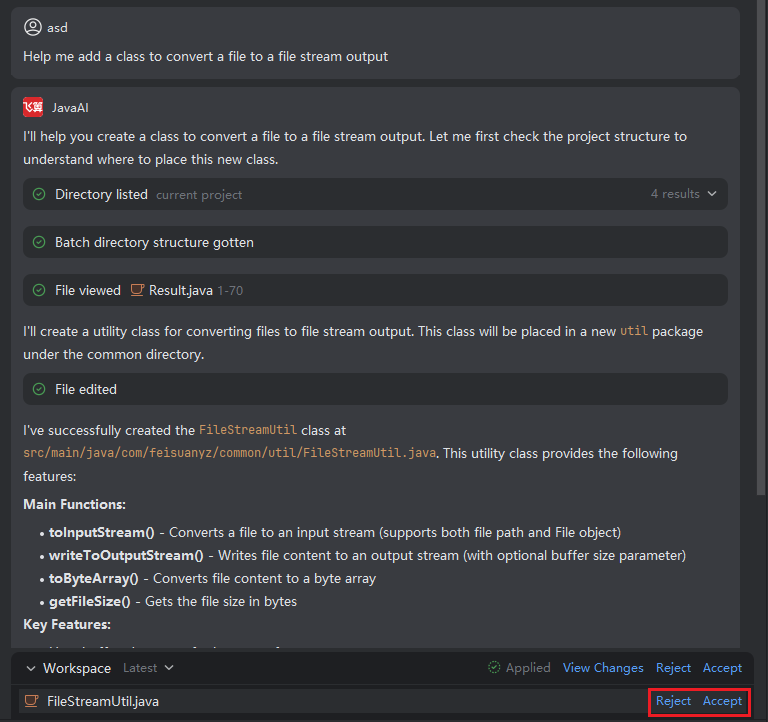
- In the workspace file list, click "Accept" or "Reject" next to the target file.
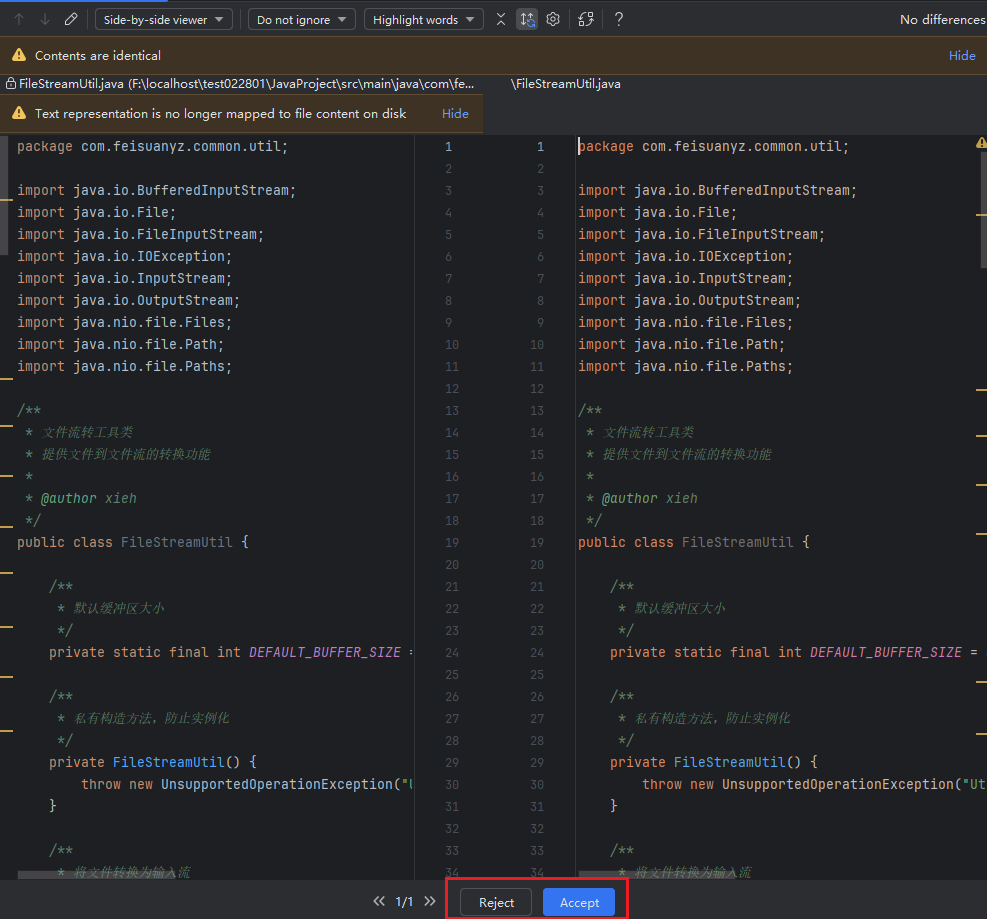
- Alternatively, open the file in the preview panel and click "Accept" or "Reject" there.
Package Directory for Accepted Files
When a new or modified file is accepted, its storage location follows these rules:
- Best practice: Specify the target package in your original request (e.g.,
Place under com.example.service). - Context-aware: If the context includes an existing file path, the system uses that directory.
- Default fallback: If no package is specified and no contextual path exists, the file is placed under
common/util.