Rate Conversation
Introduction
You can provide feedback on the AI’s responses by giving a thumbs-up or thumbs-down.
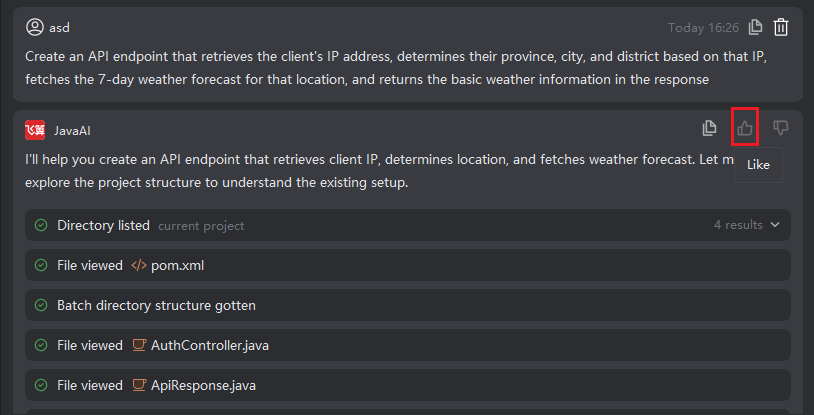
- If the response meets your needs or effectively solves your problem, please click 👍 (Like).
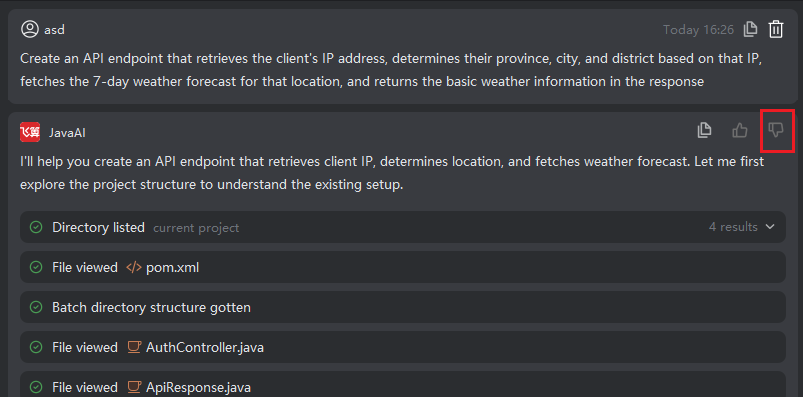
- If the response is inaccurate, irrelevant, or contains errors, click 👎 (Dislike) and submit your feedback. Your input helps us continuously improve the system’s performance and accuracy.
Liking a Response
- Hover over the conversation reply box and click the 👍 (Like) icon.
Disliking a Response
- Hover over the conversation reply box and click the 👎 (Dislike) icon.
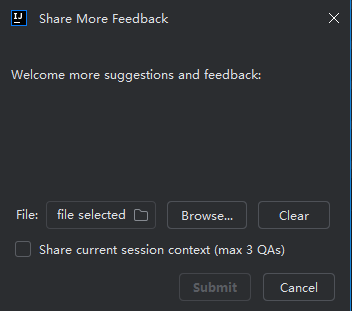
- A feedback form will appear—please describe the issue and specify the reason (e.g., incorrect logic, irrelevant answer, formatting error, etc.).