Parallelism Level Settings
Introduction
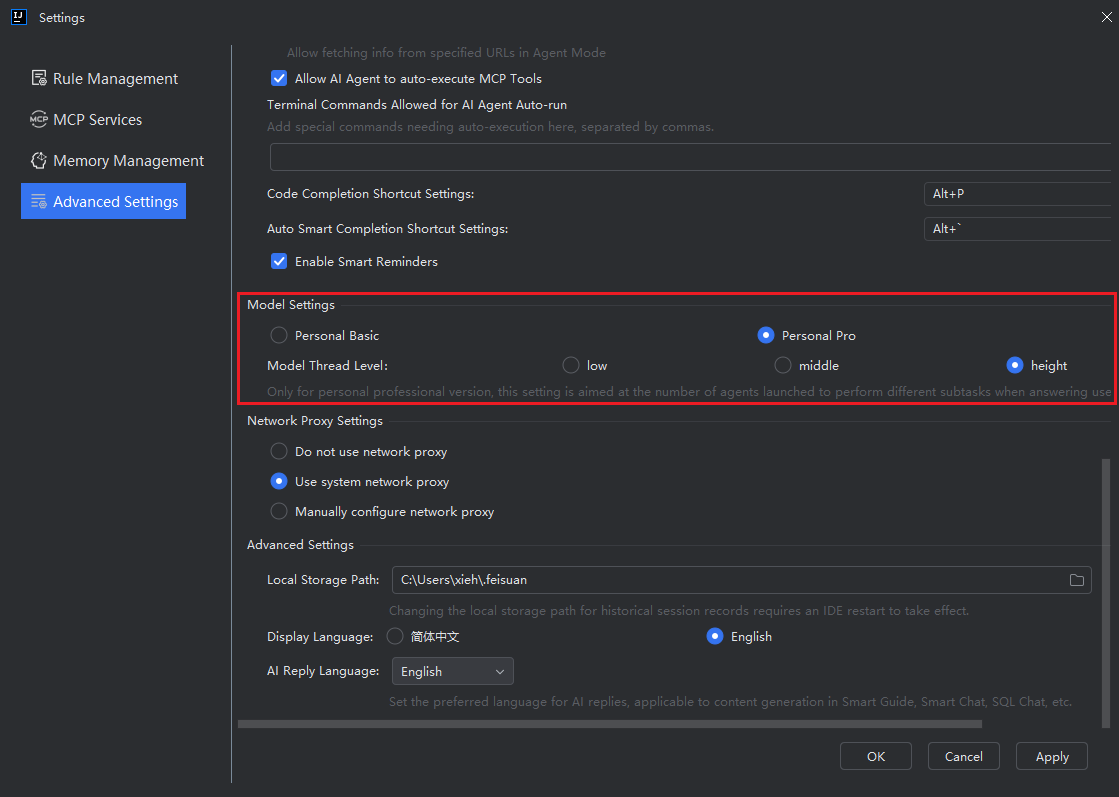
Parallelism refers to the system's ability to execute multiple tools simultaneously during the response generation process, significantly improving response efficiency. You can adjust the parallelism level (Low, Medium, High) in the "Advanced Settings". A higher level means more tools are executed concurrently. Please note that this feature is only available for models under the "Personal Professional Edition".
Setting the Parallelism Level
- In the model settings under "Advanced Settings", select the desired level based on your needs. Choosing "High" will result in more tools being executed simultaneously.If your IntelliJ IDEA configuration is insufficient, enabling the High setting may cause the application to crash. Please proceed with caution; the Medium setting is recommended.
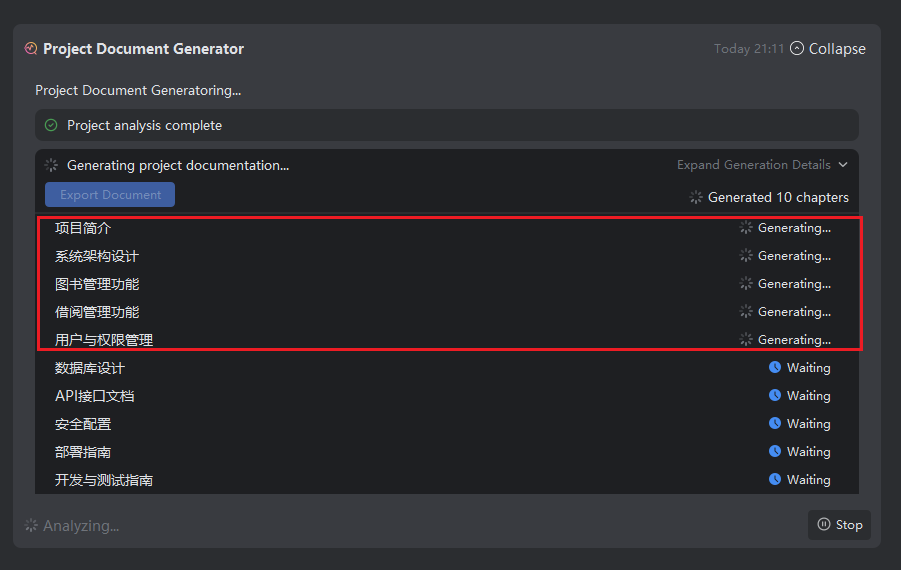
- When using plugins, the system will execute them in parallel. The "Project Documentation Generator" is used here for demonstration purposes; the same principle applies to other features.