Unit Testing
Introduction
Through the auto-generate unit test feature, you can quickly create test cases for Java methods. Simply select the target method, and the system will automatically analyze its logic and generate high-quality test code. This feature not only intelligently parses input parameters and return values, but also generates test data for multiple scenarios, ensuring comprehensive coverage of potential issues, helping you efficiently improve code quality and stability.
Generate Unit Tests
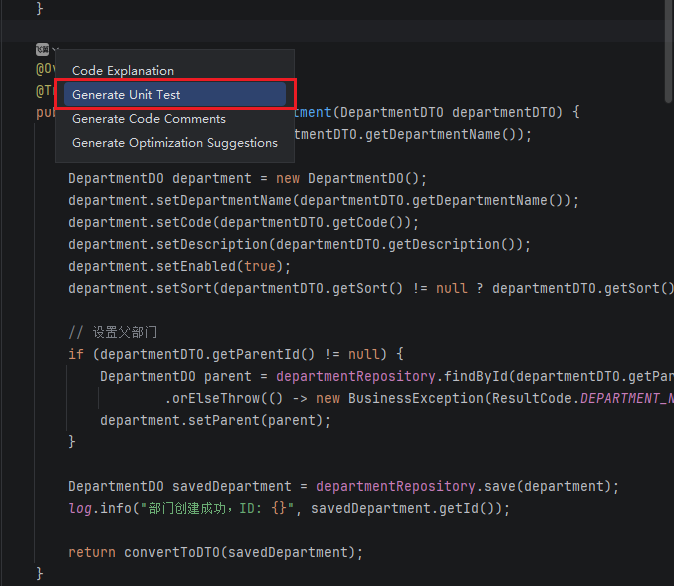
- In the code editor, click the icon and select "Generate Unit Test".
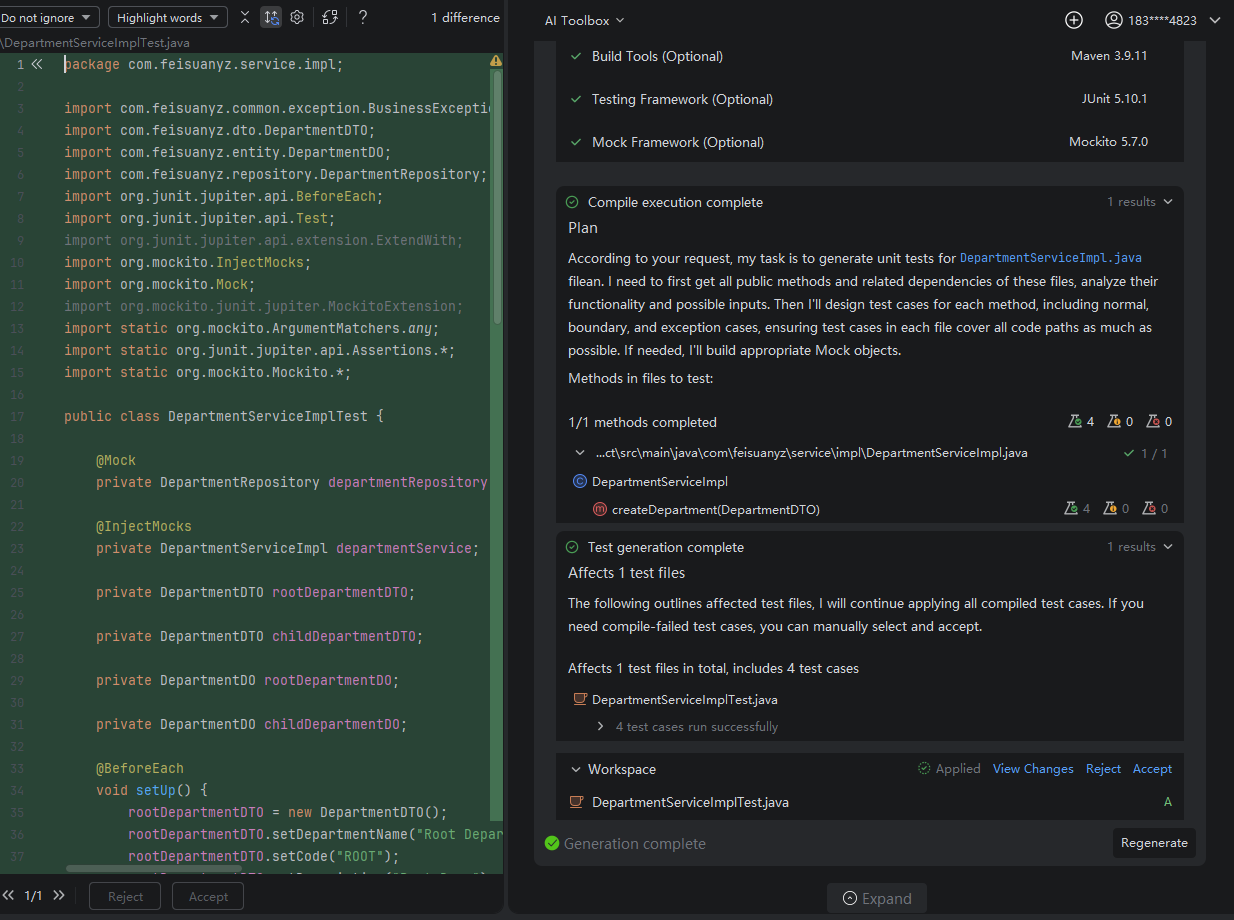
- The "Unit Test Generator" in the Toolbox will be invoked on the right to generate tests for your method. Review the test case file, then choose "Accept" or "Reject".