Project Documentation Generator
Introduction
The Project Documentation Generator is a powerful feature of SoFlu JavaAI that performs deep analysis of your project’s source code and configuration files. It automatically produces a structured, comprehensive documentation covering key aspects such as:
- System architecture
- Core functionality
- Data flow diagrams
- Deployment instructions
- Extensibility and design considerations
This enables developers and stakeholders to quickly grasp the project’s structure and critical components, significantly accelerating onboarding and maintenance.
Using the Project Documentation Generator
- Click the "top-left corner" to switch and select "AI Toolbox".
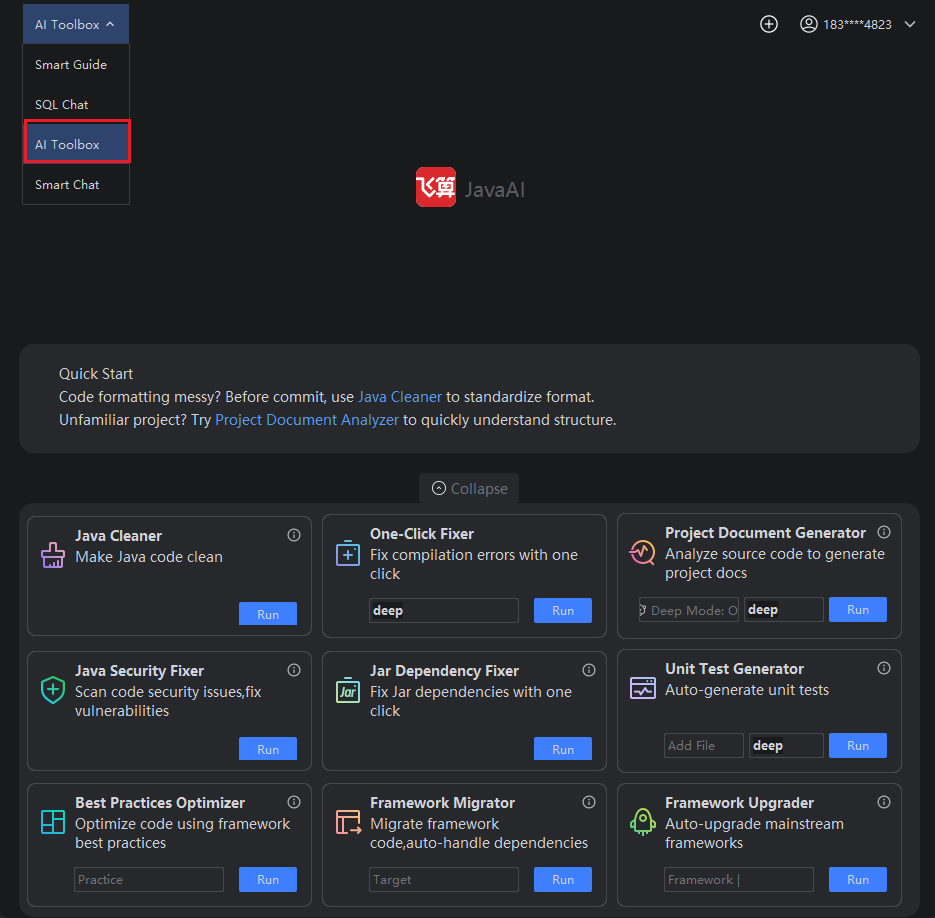
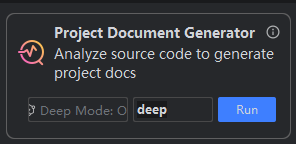
- Click "Toolbox", select "Project Documentation Generator", then click "Run".
Deep Mode:
Enables more thorough analysis by examining deeper code semantics and inter-module relationships. This mode consumes more model resources and takes longer to complete. To enable it, click the "Deep Mode" toggle before running.
: Intelligent analysis must be enabled. If it’s not active, go to Advanced Settings and check "Enable Intelligent Analysis" before running.: The analysis task will be terminated (marked as “Analysis Failed”) if you:
- Create a new task from the top-right corner, or
- Navigate away via "History" during execution.
You can later choose "Retry Analysis" or "Continue Analysis" to resume.
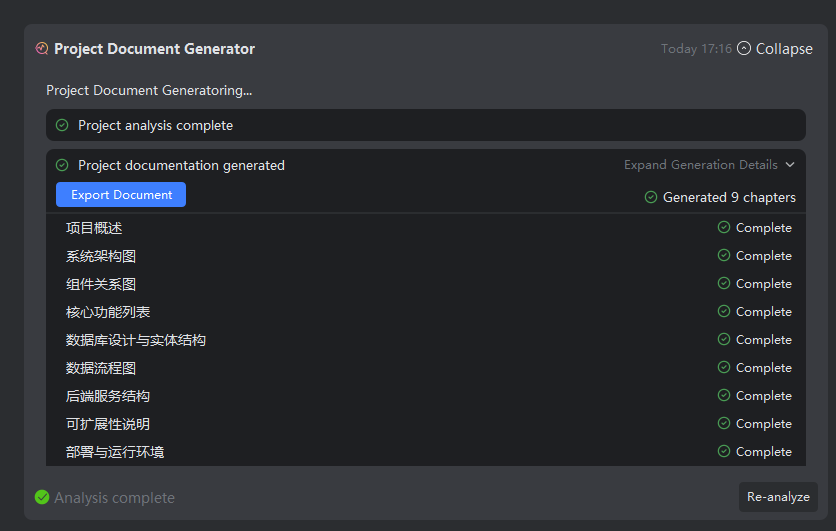
- The system first generates the document outline (table of contents), then sequentially produces content for each chapter.
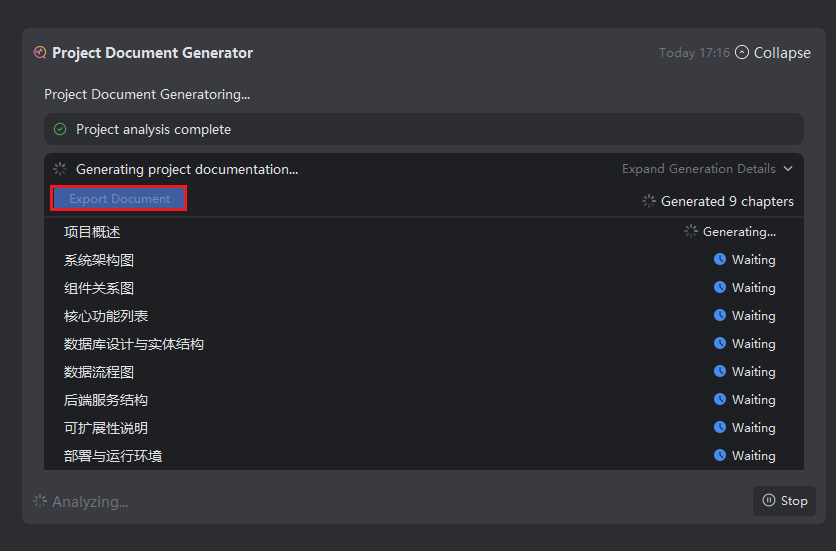
- Once generation completes, click "Export Document".
Important:
- Chapters marked as “Waiting” have not yet been generated—wait until all sections are complete before Export.
- If a chapter fails, click it to retry generation.
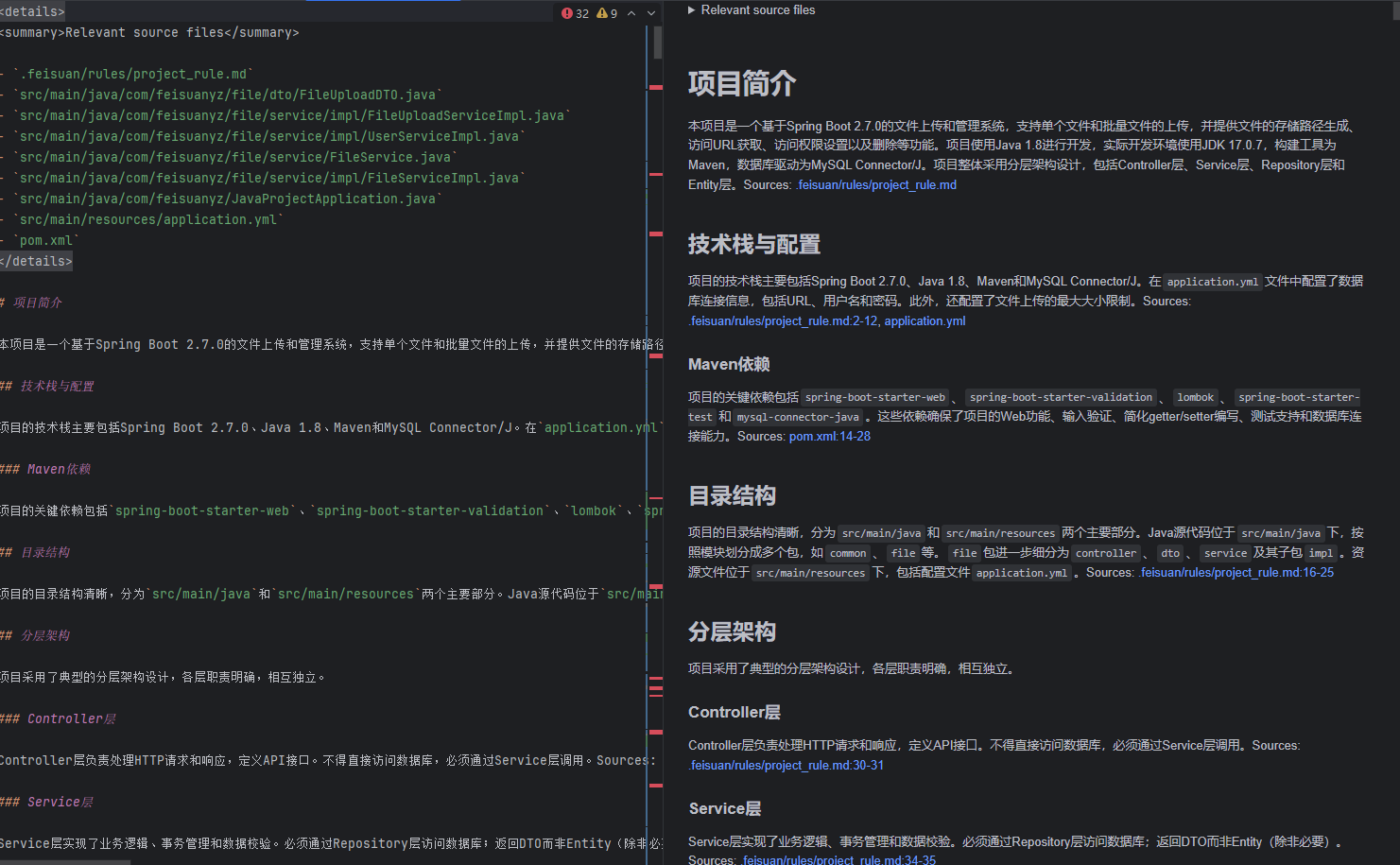
- The output is in Markdown (.md) format, synthesized from source code and configurations.
- With Deep Mode enabled, content is more detailed, accurate, and insightful. Progress per chapter is visible in real time.
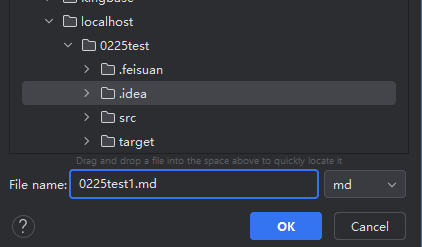
- Choose a local directory to save the downloaded Markdown file.
- Open and review the document.
Note:
The file is in Markdown format and should be opened with tools like IntelliJ IDEA, Notepad++, VS Code, or any Markdown-compatible editor to render formatting correctly. Content is generated by a large language model based on static and dynamic analysis of your project.