Exception Error Troubleshooting
Introduction
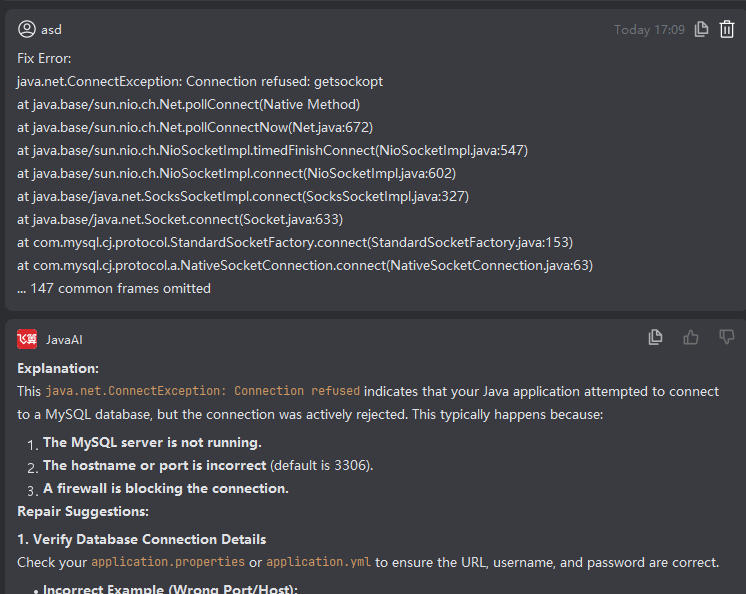
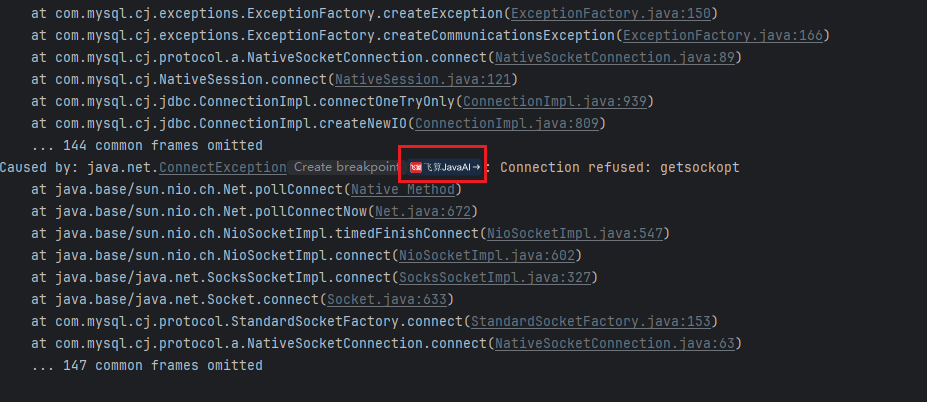
In IntelliJ IDEA, when running a program encounters an exception error, you can see the FeiSuan JavaAI quick action button in the standard output window. After clicking this button, FeiSuan JavaAI combines running code, exception stack traces, and other error context information to quickly provide you with troubleshooting ideas or repair suggestions in the smart Q&A area. This approach helps you efficiently locate problems and quickly take measures to correct them, significantly improving debugging efficiency and code quality.
Exception Error Troubleshooting
- Compile and start the project, when startup exception occurs, click the "FeiSuan JavaAI" icon in the window,
- The right-side smart Q&A module displays repair suggestions, and you can troubleshoot and solve problems according to the repair suggestions.