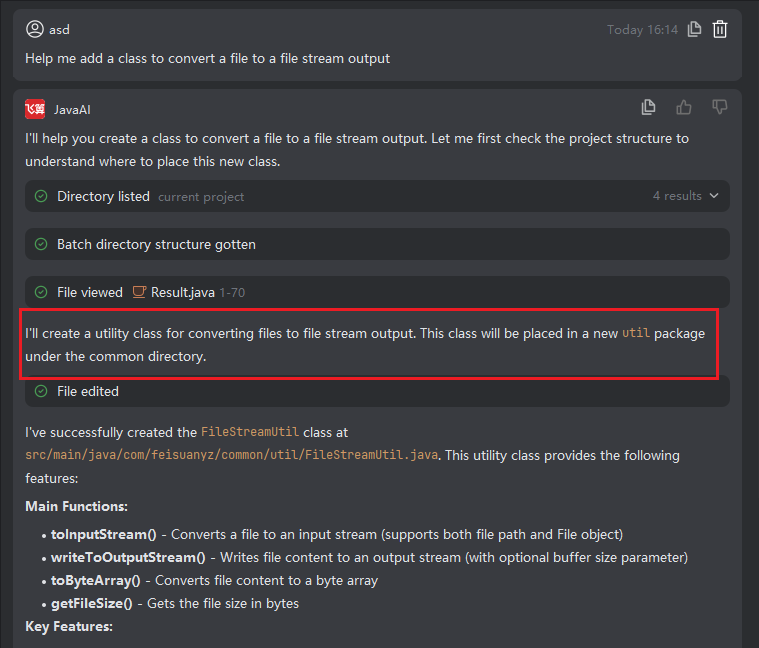
Batch Accept and Reject
Introduction
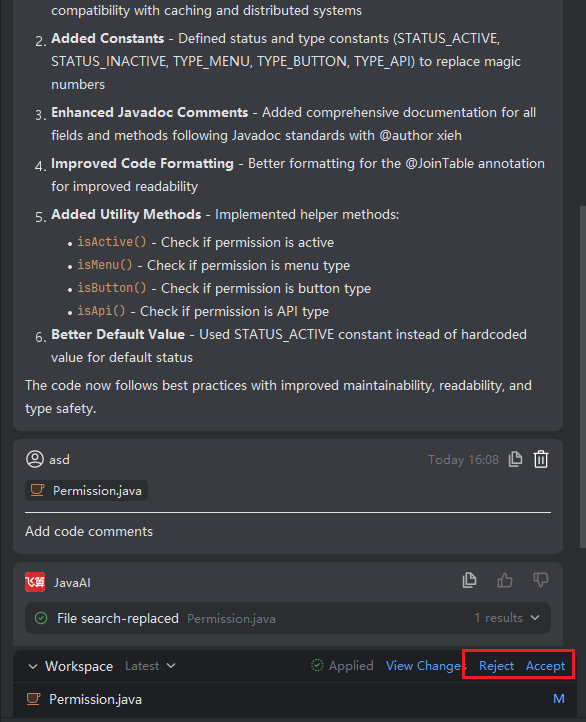
In the workspace, after reviewing multiple modified files, you can quickly accept or reject all changes at once. This batch operation significantly improves efficiency when managing multi-file updates, allowing you to approve compliant changes or discard unsatisfactory ones with a single action—accelerating development while maintaining code quality.
Note: If accepting certain files introduces conflicts with other parts of the original project (e.g., due to package structure, dependencies, or naming), manual adjustments may still be required. This ensures project consistency and stability, even in complex scenarios with interdependent components.
Performing Batch Actions
- Click the "Accept" or "Reject" button next to "View Changes" to apply your decision to all files in the current batch.
Package Directory for Accepted Files
When new files are generated and accepted, their placement follows these rules:
- Preferred: Specify the target package in your requirement description (e.g.,
Place this class under com.example.service). - Fallback 1: If the context includes an existing file path, the system uses that directory as a reference.
- Fallback 2: If no package is specified and no contextual path exists, the system places new files under
/common/utilby default.