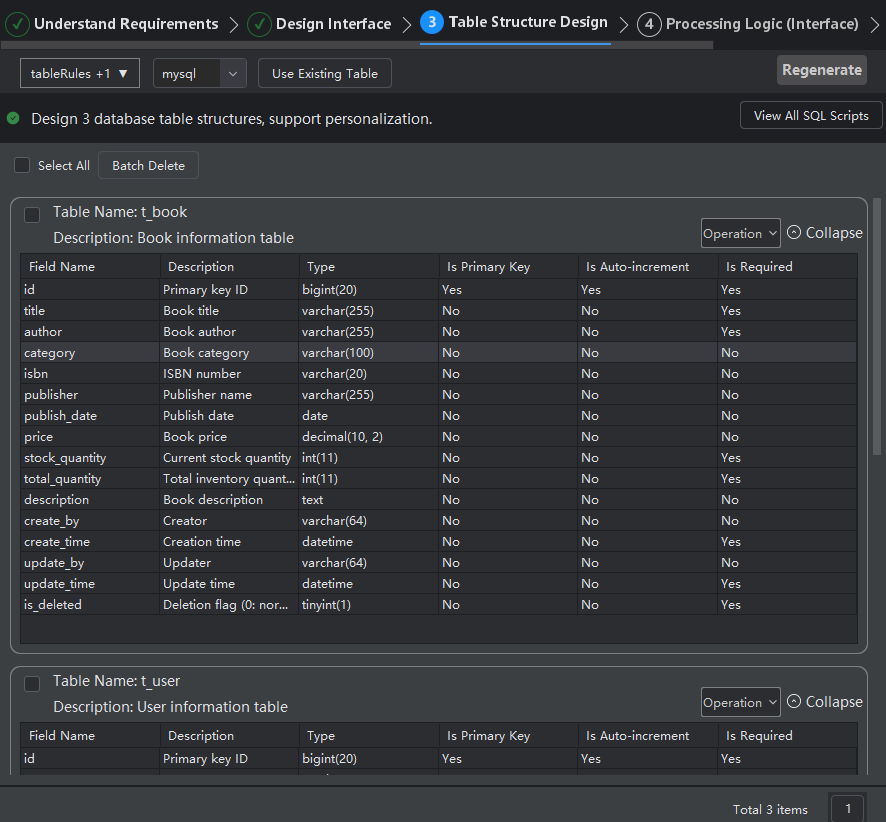
Table Structure Design Rules
Introduction
You can customize rules for table structure design, such as how table structure fields should be named, or how comment content should be described. You can define and describe these in the new rule, and then select the rule you defined when generating table structure fields. If you do not customize rules, the system will use default rules to design the corresponding table structure data.
Customizing Table Structure Design Rules
- Click "Rules", select "Add Rule File".

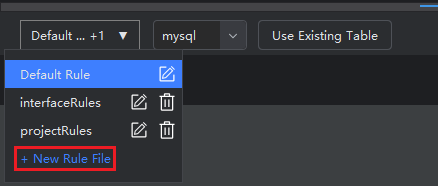
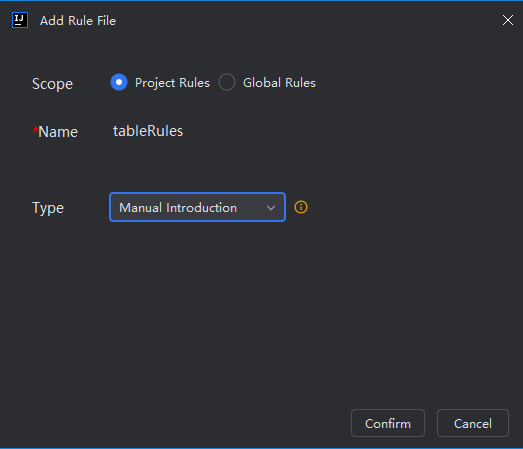
- Select scope, enter rule name, select type, and enter other field information.
Notes:
- Scope: Project rules are effective only for this project, with rule files stored under .feisuan/rule. Global rules apply to all projects.
- Model Decision: The model will autonomously decide whether to use this rule based on rule description content and requirements without user selection. Please note that rule effectiveness is related to description content, so please describe clearly.
- Always Effective: This rule will always take effect, meaning it will be applied with this rule when requesting to generate corresponding content, without user selection.
- Effective for Specified Files: Will automatically retrieve files that meet conditions and apply this rule according to user-specified file matching patterns (such as .java, src/*/.ts), without user selection.
- Manual Introduction: Manually select this rule file to take effect from the dropdown list.
- Customize rule content, then save.

- Select the custom rule, then click "Start Generation", and content will be generated according to the rule content. If not generated according to the rule, adjust the rule description content and try again.