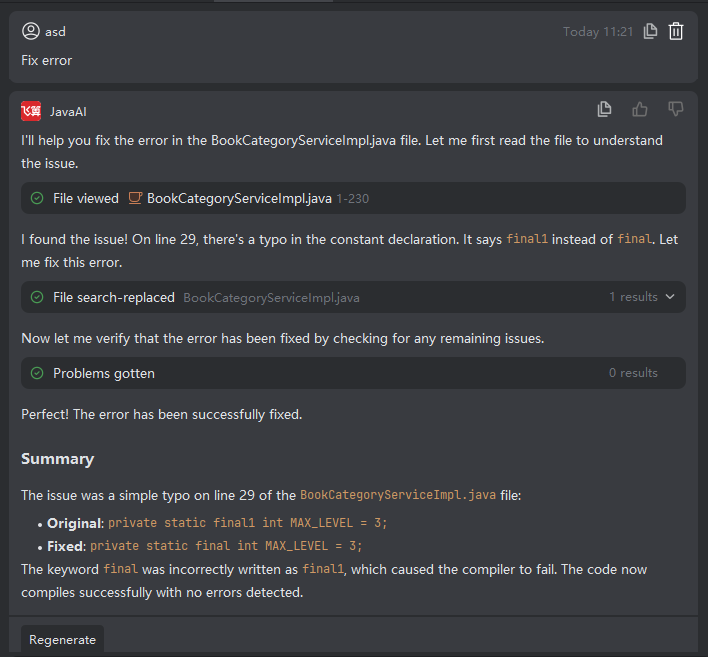
Single-File Repair
Introduction
When a file in your project contains errors—such as compilation issues, syntax problems, or code quality violations—you can use the "One-Click Fix" feature to let Java Chat automatically attempt to repair the issues in that specific file.
While this automated repair significantly reduces debugging time and effort, it may not achieve 100% accuracy in all cases. Therefore, it’s recommended to review the proposed changes and manually adjust them if necessary to ensure correctness and maintain code quality.
Performing Single-File Repair
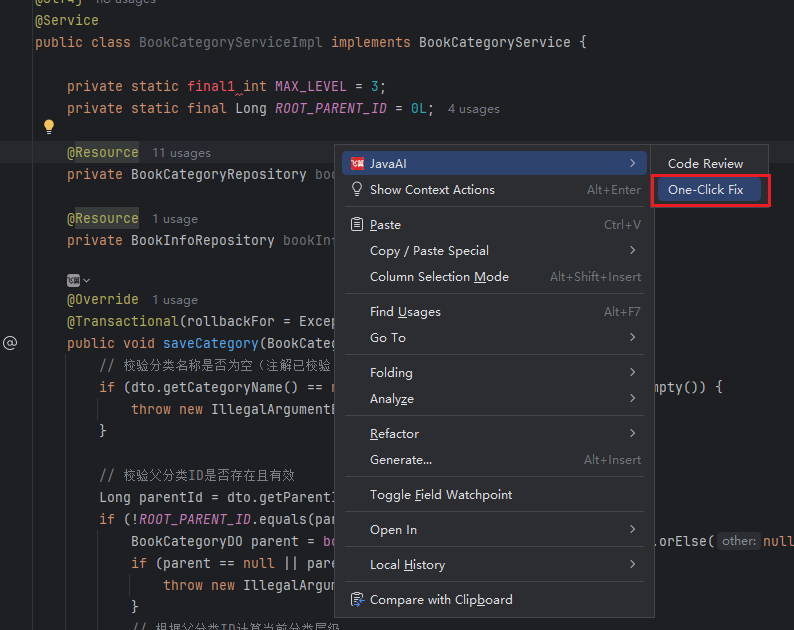
- In the project directory structure, right-click on the problematic file and select JavaAI > One-Click Fix.
- Review the suggested fixes. Click Accept to apply the changes or Reject if they don’t meet your expectations. If errors persist after acceptance—such as remaining compilation failures—you can trigger the repair process again to iteratively refine the solution.