One-Click Explanation
Introduction
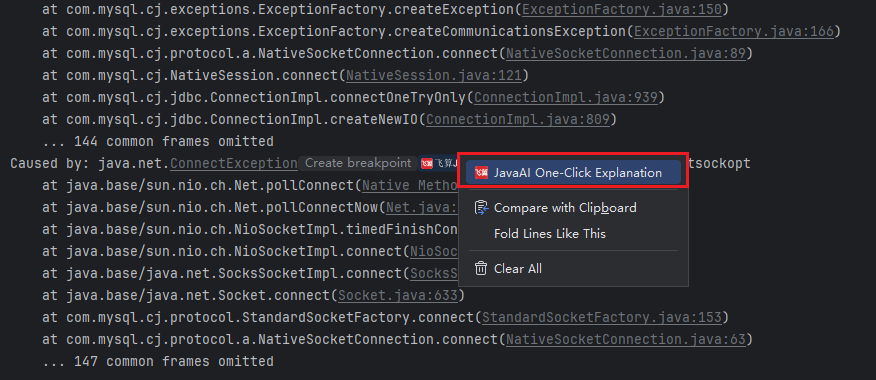
After compiling a project, if you encounter compilation failure issues, you can right-click in the console and select the "One-Click Explanation" function. The smart session will explain the cause of the problem based on the error information in the console and suggest modification methods.
One-Click Explanation
- Compile the project, in the console, click with the mouse at the position of the error information that needs explanation, then right-click and click "One-Click Explanation".
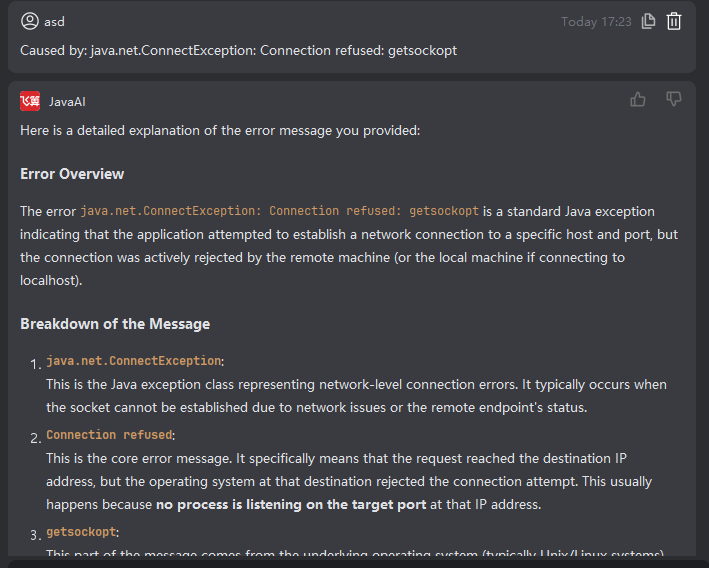
- Smart session, according to the type you selected, uses the corresponding module's functionality to explain what this error information is. You can resolve the issue according to the error prompt and suggestions.