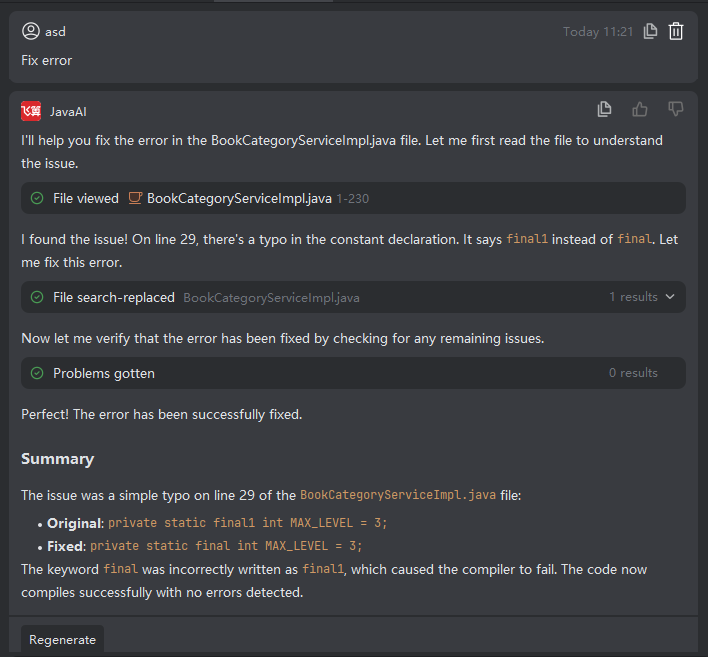
Multi-File Repair
Introduction
When multiple files in your project contain errors—such as compilation issues, style violations, or structural problems—you can select them in bulk and use Java Chat’s batch repair feature to automatically attempt fixes across all selected files.
Note that while the auto-repair function is highly capable, it may not be 100% accurate in every scenario. It is recommended to review the proposed changes and manually adjust any incorrect or suboptimal fixes.
Performing Multi-File Repair
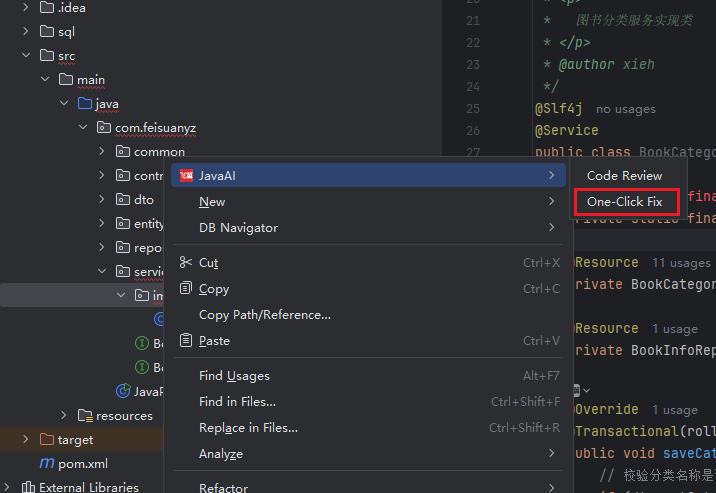
- In the project directory tree, select one or more files (or an entire folder), right-click, and choose JavaAI > One-Click Fix.
- Review the generated fixes for each file. You can Accept or Reject individual suggestions. If the result doesn’t meet expectations, you can refine and re-trigger the repair. Even after accepting changes, if compilation or logic errors persist, you may run the repair process again iteratively.