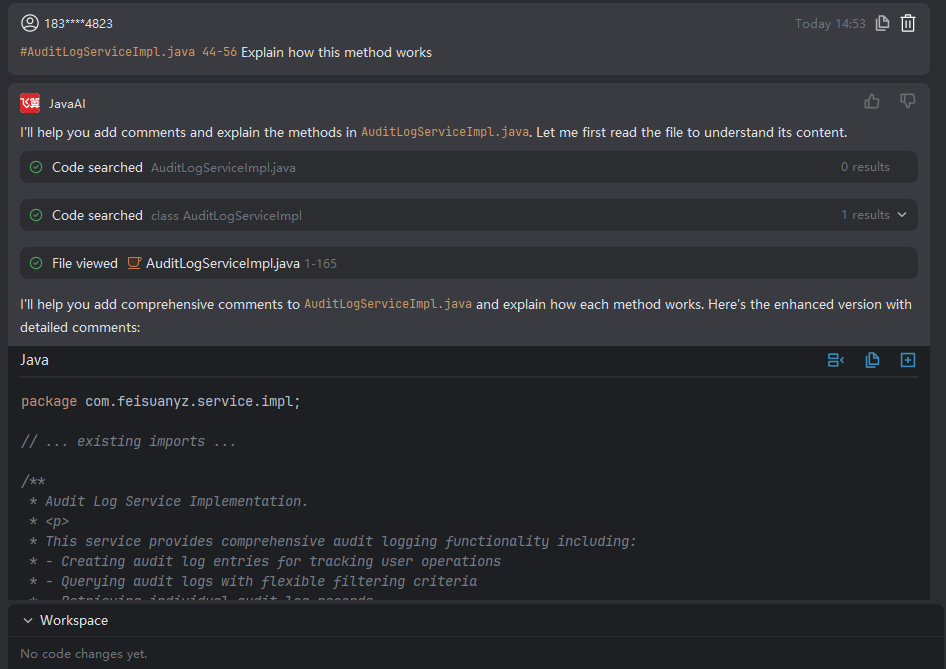
Selected Code
Introduction
You can select a specific code segment in the code editor and request enhancements such as adding exception handling or other optimizations. The system will apply improvements strictly to the selected code block based on your instructions. Note that this optimization is confined to the highlighted portion and will not affect other parts of the codebase. If the modified code introduces conflicts with other parts of the project, you’ll need to resolve them manually.
Working with Selected Code
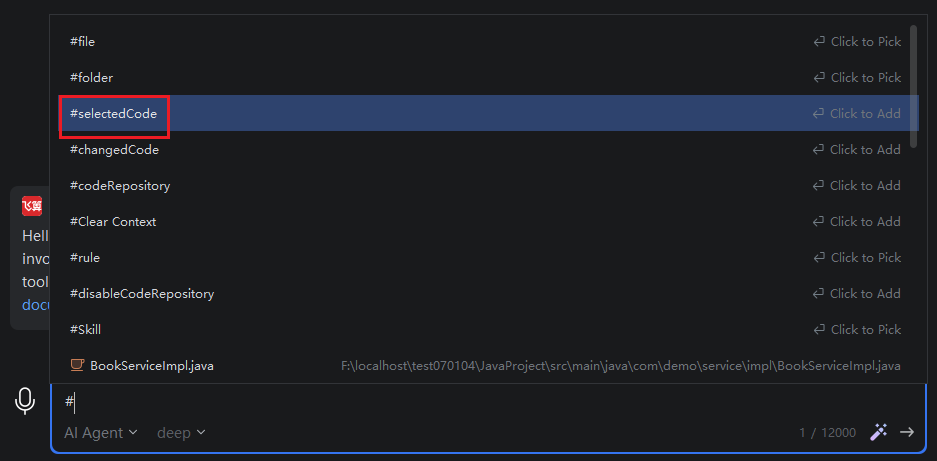
- In the code workspace, open a file and highlight the code block you want to modify. In the input box on the right, type
#, choose "Selected Code" as the context type, and then provide your requirement using structured input.
- After the system processes your request and generates the optimized code, review the result. If it doesn’t meet your expectations, refine your description and request further adjustments.