Configure Automatic Updates
Introduction
After completing the automatic update configuration, once a new version is released, the plugin will automatically update without manual operation.
Automatic Update (System Default)
- Click the upper left corner of the IDEA tool "File > Settings > FeiSuan JavaAI > Update Settings, select automatic update to new version, then click "OK"

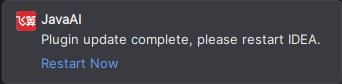
- When there is a new version, the plugin will automatically update. After the update is complete, the lower right corner will prompt that the new version has been updated. Restart IDEA immediately to take effect. Or click "Modify Automatic Update Settings" to enter the settings page to modify.