Describing Requirements by Voice
Introduction
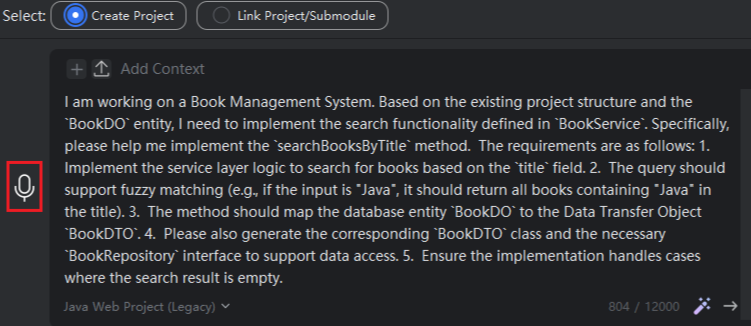
Describe your requirements directly by voice—no keyboard input needed. The system will automatically convert your speech into text, making the entire process more convenient and faster.
Voice Input for Requirements
- Press and hold the voice icon with your mouse, then start speaking. Release the mouse when you finish.
Note: Speech recognition may not always be 100% accurate. If any words are incorrect or unrecognized, manual correction is required. Additionally, this feature requires that your computer has microphone permissions and functional audio input capabilities.