
Configure Table Relationships
Introduction
Setting up table relationships involves linking two tables by defining a source field (typically a primary key) and a target field (typically a foreign key). You can specify the relationship type—one-to-one, one-to-many, or many-to-one—to accurately reflect how data is connected across tables.
By explicitly defining these relationships, SQL Chat can generate more precise multi-table queries (e.g., JOINs), simplifying complex data retrieval and improving result accuracy. This also enables intuitive cross-table analysis without manually writing join conditions.
Adding a Table Relationship
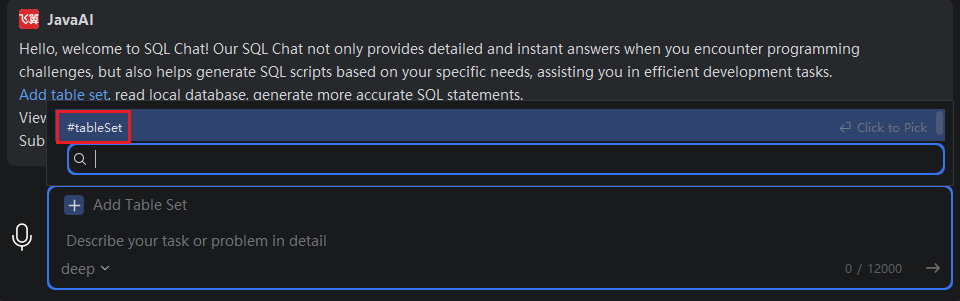
- Click "Add Dataset", or type
#in the input box and select "#Dataset".
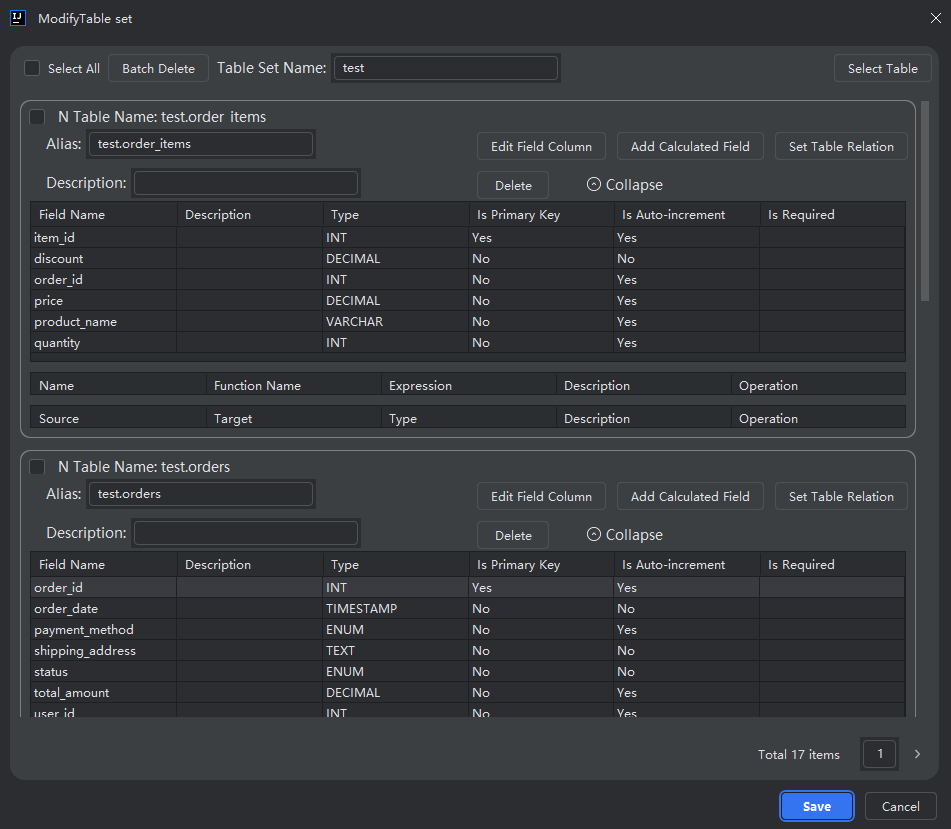
- Select the dataset you want to modify, then click "Edit".

- Choose the table you wish to associate with another, then click "Set Table Relationship".
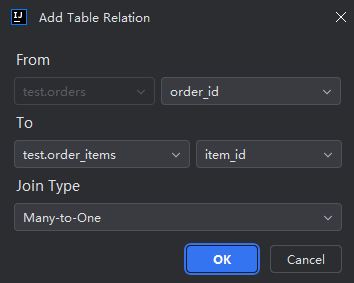
- Select a field from the primary (source) table.
- Choose the related table and its corresponding foreign key field.
- Select the relationship type, then click "OK".
Relationship Types Explained:
- One-to-One: One record in the source table links to exactly one record in the target table.
- One-to-Many: One record in the source table links to multiple records in the target table.
- Many-to-One: Multiple records in the source table link to a single record in the target table.
Updating a Relationship Type
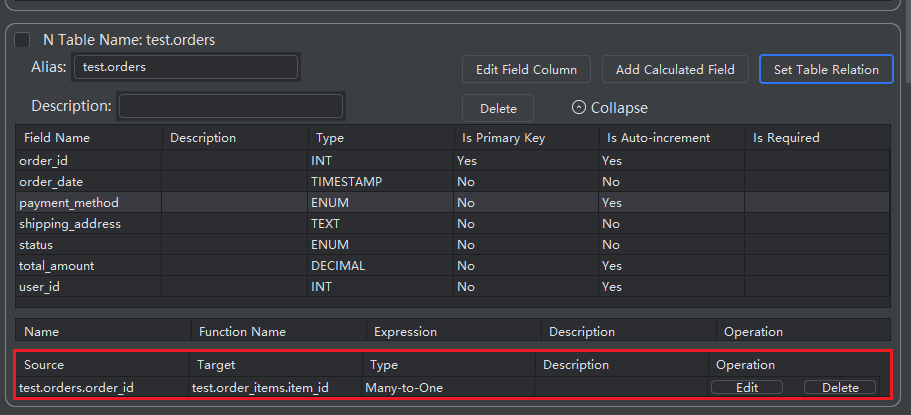
- As shown in the image, click "Edit" next to an existing relationship.
Note: You can only change the relationship type.
To modify the linked fields, you must delete the relationship and create a new one.
Deleting a Relationship
- As shown in the image, click "Delete" to remove the selected table relationship.