Automatically Create Rule File
Introduction
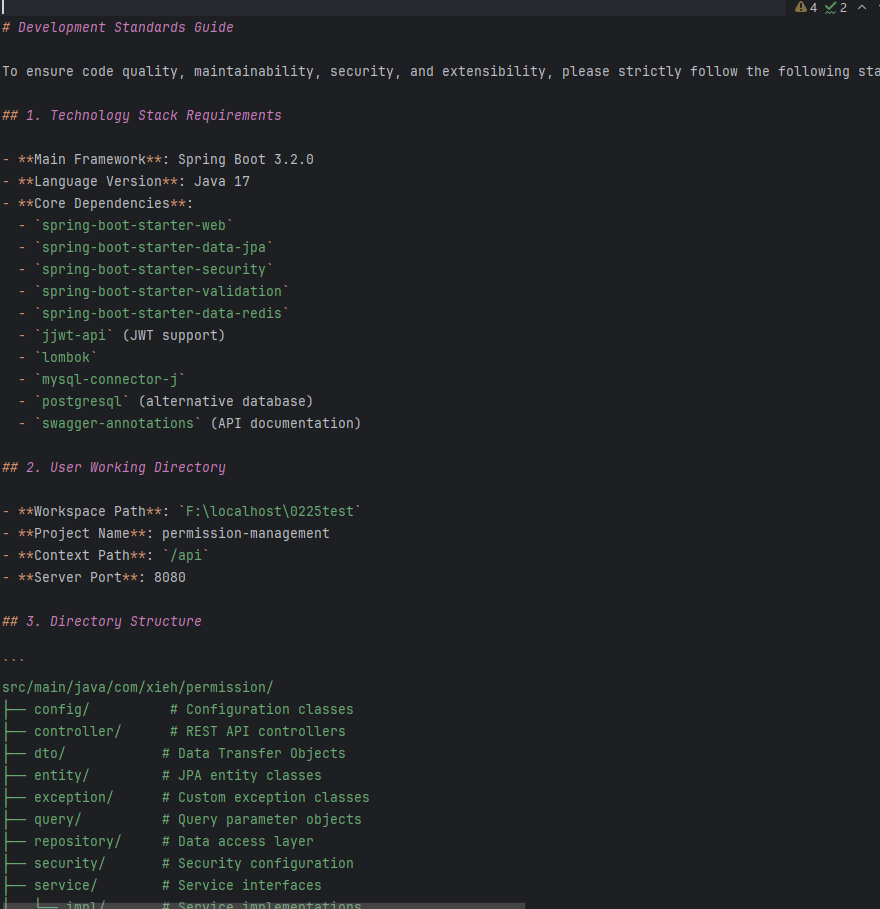
After enabling automatic project rule creation, when you open a project, FeiSuan JavaAI will generate a rule file for the current project based on its framework, technologies, directory structure, and other characteristics. You can review this rule file to understand the frameworks and technologies used in the project. When using FeiSuan JavaAI’s intelligent guidance module to generate a linked project, you can choose to associate this project rule file—ensuring the generated source code prioritizes the definitions in the rule file, resulting in code style and framework usage that better aligns with your existing project.
Automatically Create Rule File
- In “Advanced Settings”, under the AI Rules section, check “Automatically Create Rule File”.

- Reopen the project and wait a few minutes. Once the file
.feisuan/rules/project_rule.mdappears in the project directory, the rule file has been automatically created.

- View the content of the automatically created rule file. You can add, delete, or modify its content as needed.