Sensitive Configuration Filtering
Introduction
When selecting associated context files, if the chosen file is of type .yml, .yaml, or .properties, you can configure which field values from these configuration files should not be sent in the request. This ensures that sensitive data values are not exposed in the request.
Sensitive Configuration Filtering
- In Advanced Settings, check “Enable Sensitive Configuration Filtering”, then click the “Edit .ymlignore” button on the right to open the configuration file.

- In the configuration file, directly enter the keys of the fields you want to filter out. For nested fields, use dot notation (e.g.,
spring.datasource.password). To filter all fields under a certain level, use an asterisk (*) for the final segment (e.g.,spring.datasource.*).
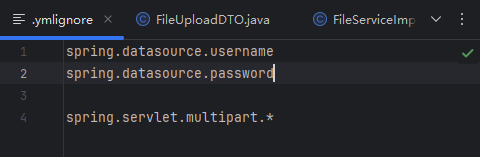
Example .yml configuration items:
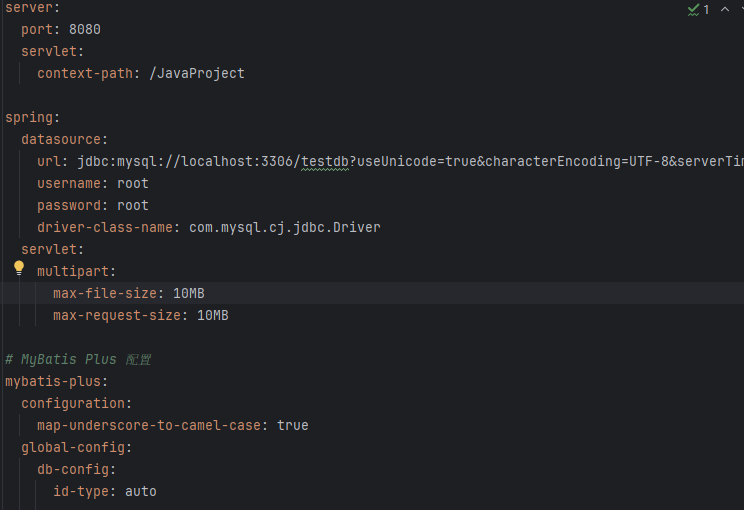
- When selecting associated context, if you choose a
.ymlfile, a prompt will appear indicating that sensitive filtering can be configured. (If filtering is not enabled, no prompt will appear.)

Scenario Example
- Select a
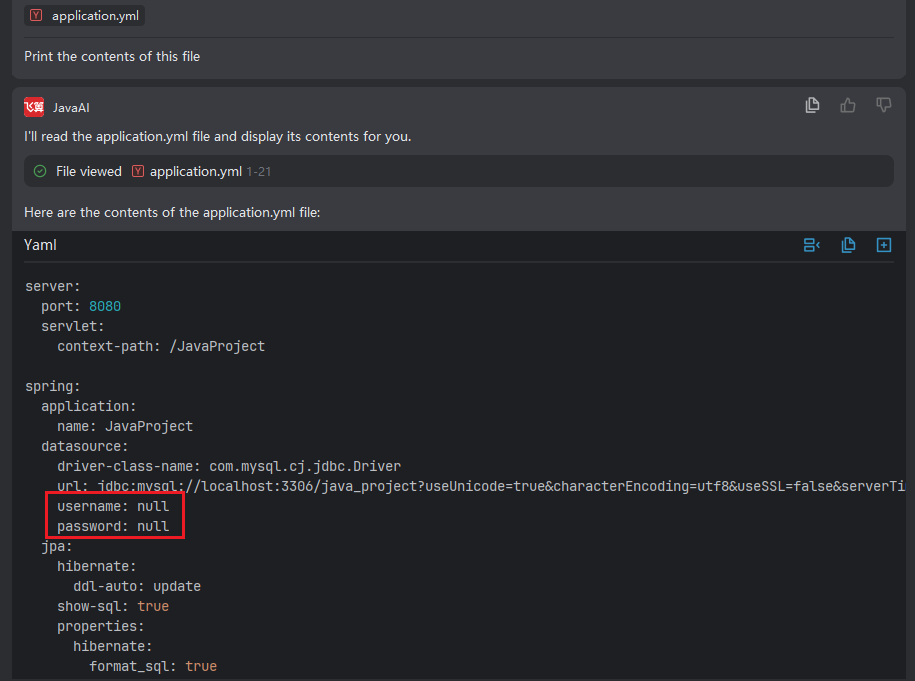
.ymlfile as context and enter your requirement. In the result, the corresponding filtered field values will appear asnull, confirming that these values have been filtered out and were not sent in the request.