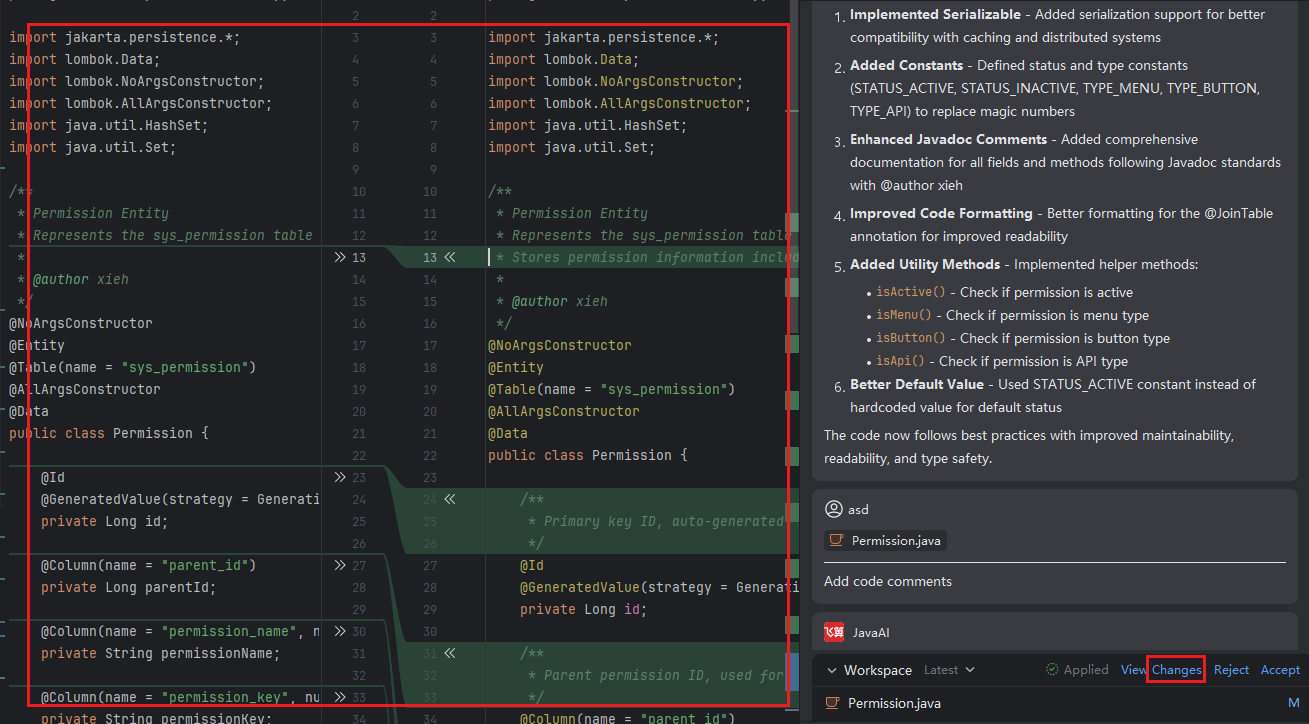
View Changes
Introduction
In the workspace, all modified or newly added code content is clearly displayed. You can review these changes and inspect the exact differences in the side-by-side code preview panel on the left. This visual comparison helps you quickly understand and verify every update, ensuring that all modifications align with your expectations.
How to View Changes
After the system generates code based on your request, click "View Changes" to open the diff view.
In the central preview area, changes are highlighted as follows:
- Green background: Lines that are added or modified.
- Gray background: Lines that are deleted.
If multiple files have been changed, use the pagination controls at the bottom to navigate between files and review each one individually.