
Setting JDK Version
Introduction
This section explains how to set the JDK version in IDEA.
Setting JDK Version
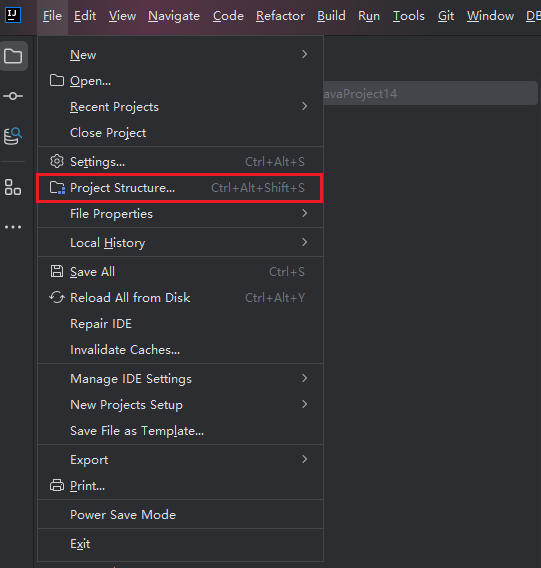
- Open "File > Project Structure..." in the upper left corner of IDEA
- Set the corresponding SDK version in "Project", and set the "Language level" accordingly. You can set "SDK default" to automatically use the Java language level corresponding to the current Project SDK.

- Similarly, set the "Module SDK" for this project in "Modules". You can set "Project SDK" as default.
