
Executing SQL Statements
Introduction
After confirming that the table structure and field information are parsed correctly, you can directly execute the SQL statement on the table structure design page. After execution, the table will exist on the corresponding server, making it more convenient and faster.
Executing SQL Statements
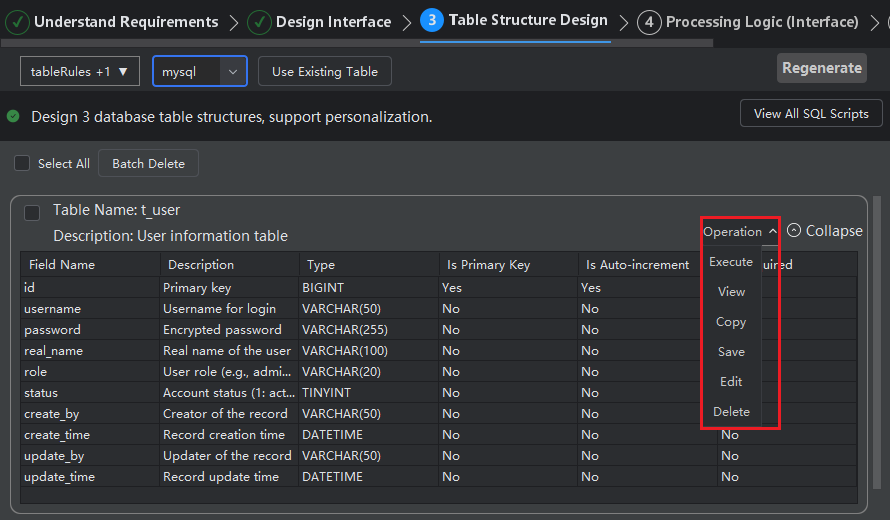
- After confirming that the table structure fields are correct, click "Operation > Execute".
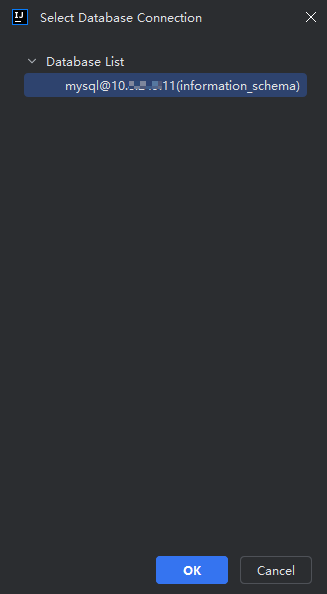
- Select which database connection to execute on, then click "Confirm".
Note: The database connection here must be added using the Database plugin before it can be selected. Related operations can be viewed in the "Connecting to Database" section.
- The system will automatically open the IDEA Database plugin console, click "Execute".
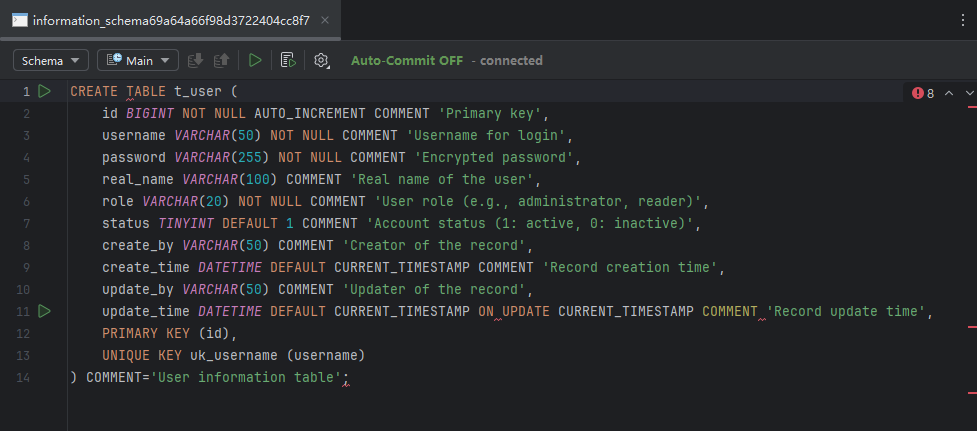
- After successful execution, you can view the newly created table on the corresponding connection server.
