
Add Calculated Field
Introduction
Calculated fields allow you to create custom columns using expressions—similar to formulas in spreadsheet software like Excel—to compute values dynamically. This capability enables flexible data transformations and supports complex business logic directly within your queries.
Adding a Calculated Field
- Click "Add Dataset", or type
#in the input box and select "#Dataset".
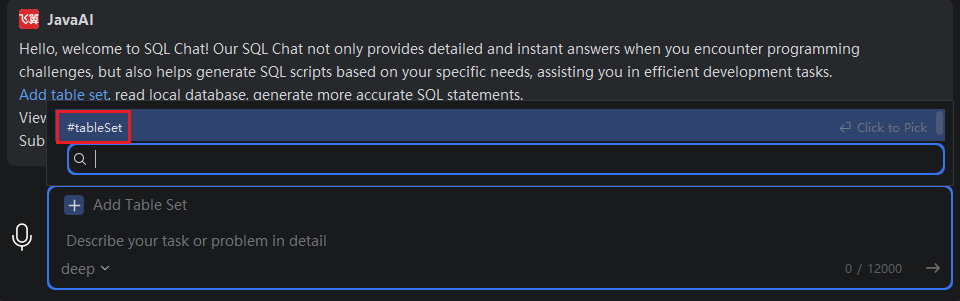
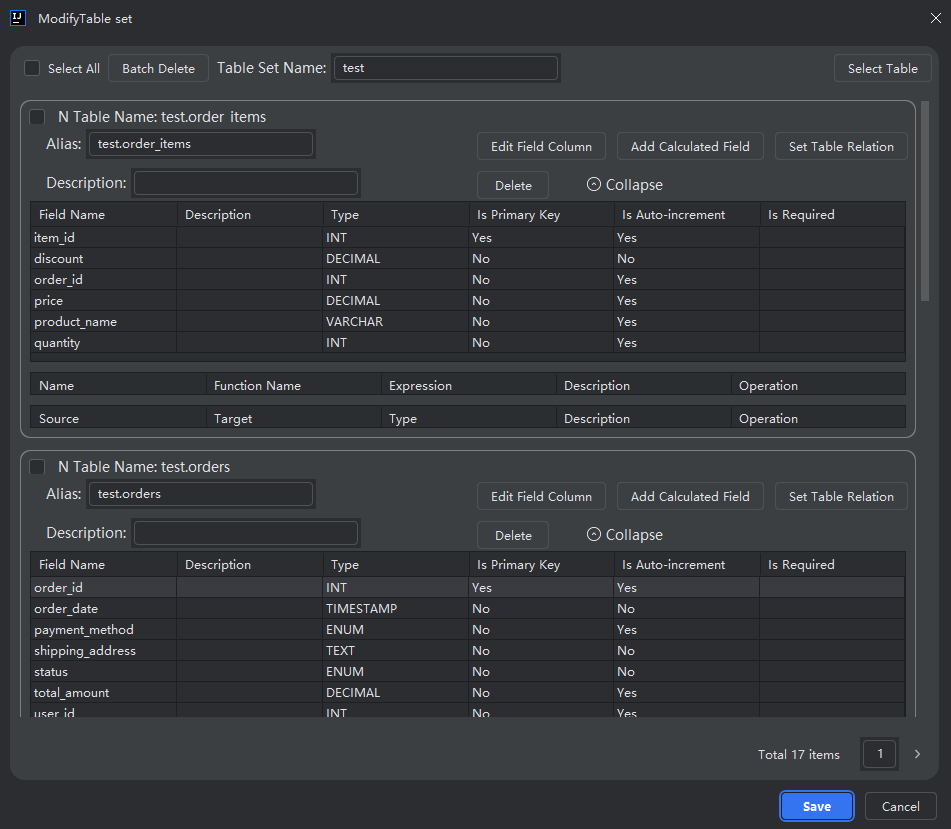
- Select the dataset you want to modify, then click "Edit".

- Choose the table or chart where you want to add the calculated field, then click "Add Calculated Field".
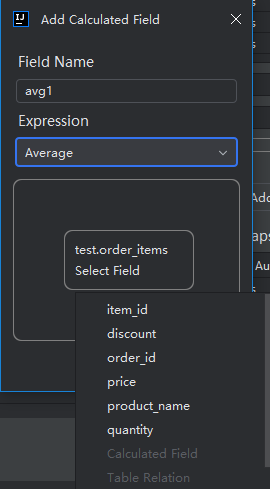
- Enter a name for the calculated field.
- Select a function to use in the calculation. For details on available functions, refer to the Expression List documentation.
- Choose the field(s) to apply the function to, then click "OK".
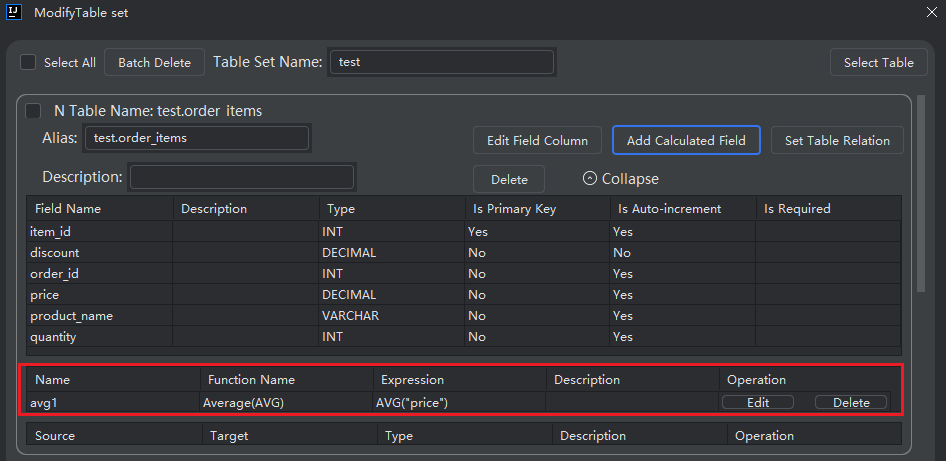
After setup, you can ask SQL Chat to return values from this calculated field in future queries.
Editing a Calculated Field
- As shown in the image, click "Edit" next to the calculated field.
- You can modify either the field name or the expression.
Deleting a Calculated Field
- As shown in the image, click "Delete" to remove the calculated field.