
Network Proxy Settings
Introduction
When the enterprise environment is limited to intranet access and cannot directly connect to the internet, if the FeiSuan Java AI plugin cannot be accessed, network proxy configuration can be used to achieve access. This proxy service needs to be deployed by the user themselves, as long as it has internet access capability.
The plugin supports three proxy modes:
- Do not use network proxy: Access directly through the internet (if the network is not connected, it cannot be used);
- Use system network proxy: Automatically read the network proxy settings configured in the operating system;
- Manually configure network proxy: Fill in the specified proxy server address and port in the plugin for accessing the internet.
Use System Network Proxy
- Open proxy in the computer system. Different operating systems have different setting methods. Specific operations can be searched on Baidu. Please ensure that this network proxy IP address can be accessed normally after activation.
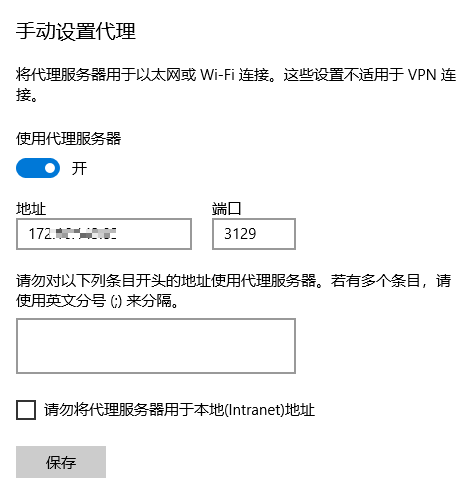
- In the plugin advanced settings, select "Use system proxy".

- Log in, enter account password, after successful login, you can use it.

Manually Configure Network Proxy
- Select "Manually configure network proxy", then fill in the address that can access the internet: http://ip:port, then save.

- At the top of the settings page, log in, enter account password, after successful login, you can use it.