Download Latest Plugin Version
Introduction
When you have not set up automatic detection of new version updates, after receiving a new version push, you can directly manually download the latest plugin package in advanced settings. After the plugin package is downloaded, it will be installed automatically. After successful installation, you will be prompted to restart the IDEA tool, and you can experience the new version after restarting.
Download Latest Plugin Version
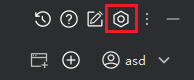
- Click the "Settings" icon and select "Advanced Settings".
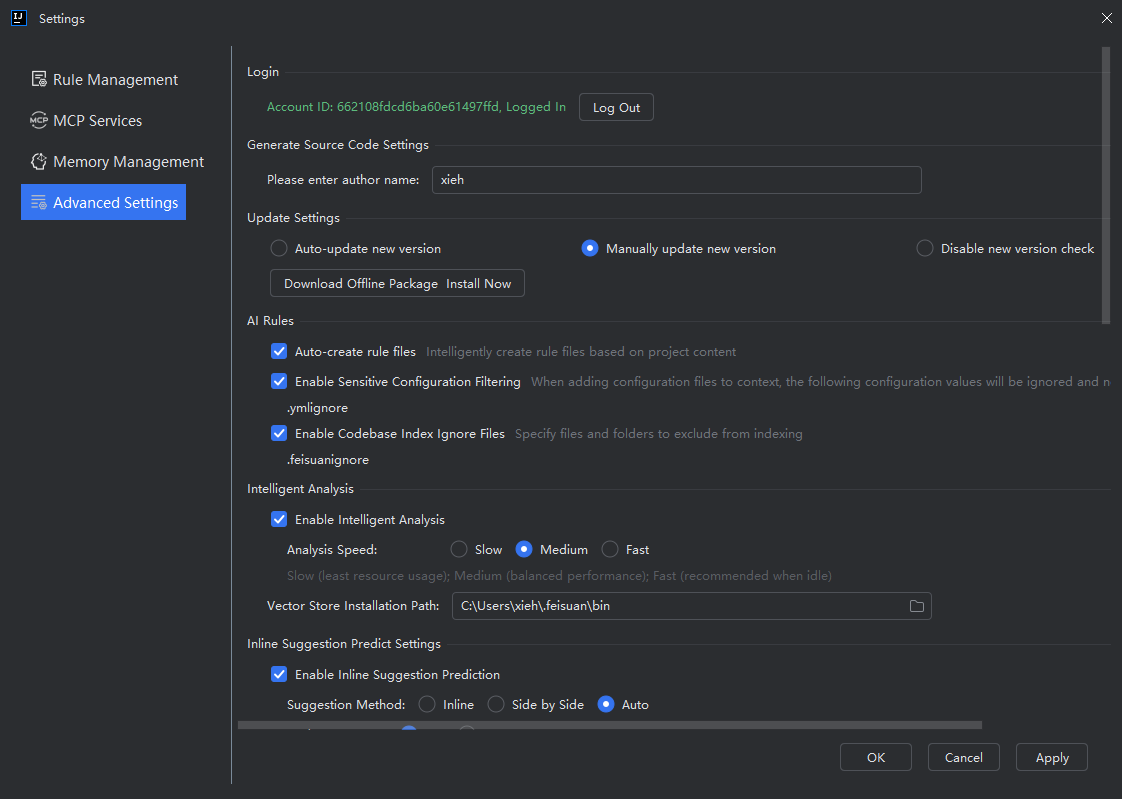
- In update settings, click "Download Offline Package Install Now".
Note: Due to differences in IDEA versions, if after clicking the "Download latest offline package and install now" button, there is no downloading prompt appearing at the bottom, you need to click the "Confirm" button to start downloading. For example, version 2025.1.1 requires clicking "Download latest offline package and install now", then clicking "OK" to close this pop-up window before immediate downloading begins.

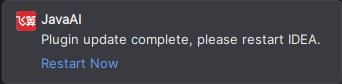
- Below will prompt that it is downloading and installing. After successful installation, click the prompt in the lower right corner "Restart Now", and the update will be successful.