
Add Dataset
Introduction
You can create a dataset (a named collection of tables) to organize and manage your database tables. Once defined, you can select this dataset when asking questions in SQL Chat. The system will then use only the tables in that dataset to understand your request and generate accurate SQL queries tailored to your needs.
Prerequisites
Before proceeding, ensure you have connected to your database using the Database plugin.
If not yet configured, please refer to the following guides first:
Adding a Dataset
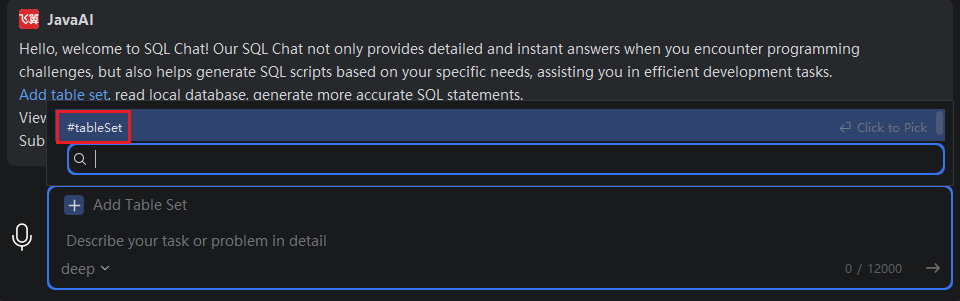
- Click "Add Dataset", or type
#in the input box and select "#Dataset".
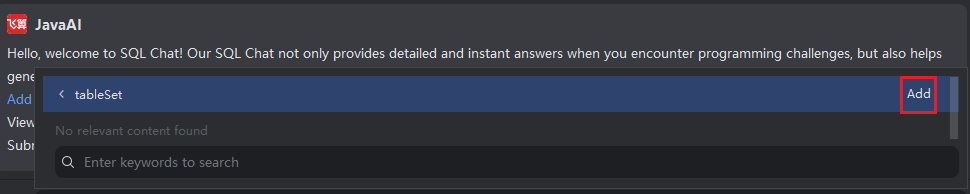
- On the right side, click "Add".
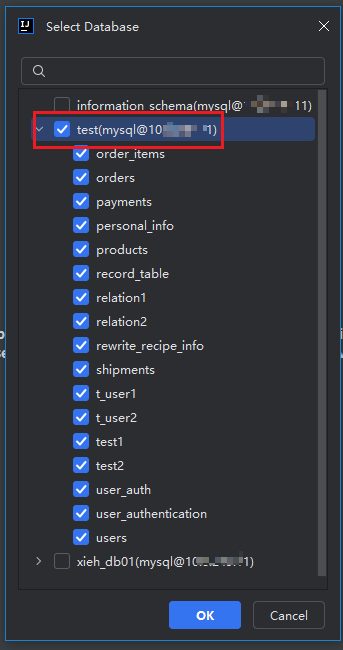
- Enter a name for your dataset, then click "Select Tables".
Note:
- Cross-database table selection is not supported.
- Only relational databases (e.g., MySQL, PostgreSQL) added via the Database plugin are supported.
- NoSQL or other non-relational databases are currently unsupported.

- From the database list, choose the target database and select the tables you want to include.
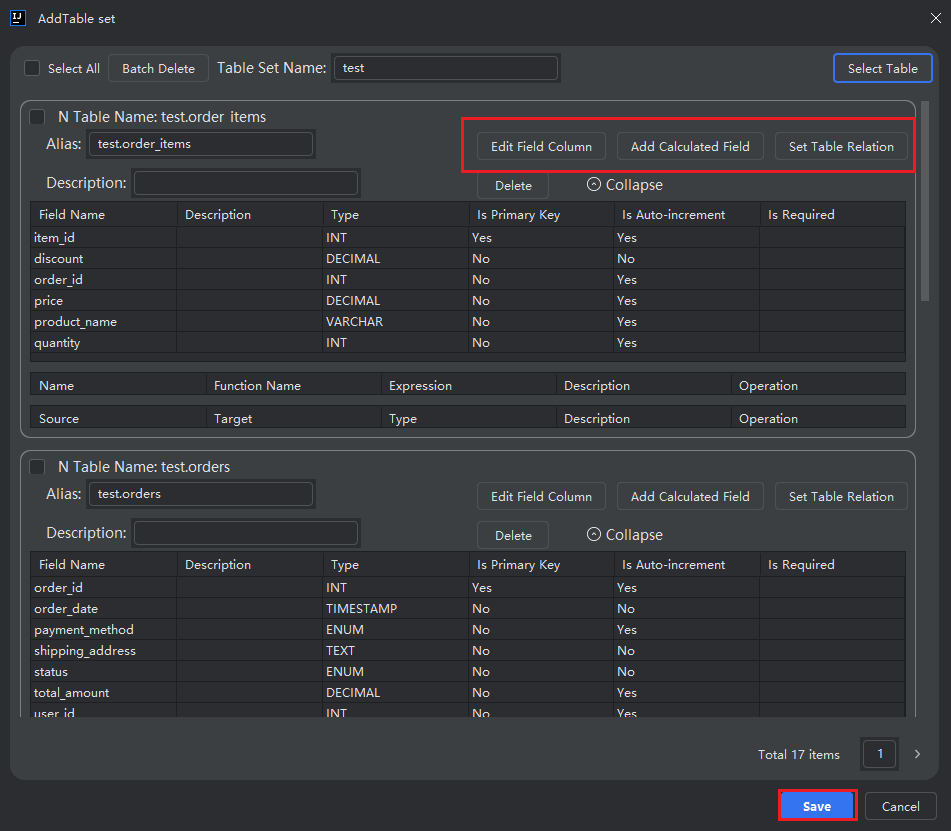
(Optional) For each selected table, you can:
- Edit field columns (include/exclude fields)
- Add calculated fields
- Define table relationships (joins)
- Set table aliases
When finished, click "Save".
If the table list is long, use the pagination controls at the bottom right to navigate.
Modifying or Deleting a Dataset
- Click "Add Dataset", or type
#and select "#Dataset".
- Select the dataset you want to change, then click "Edit" or "Delete" as needed.
